
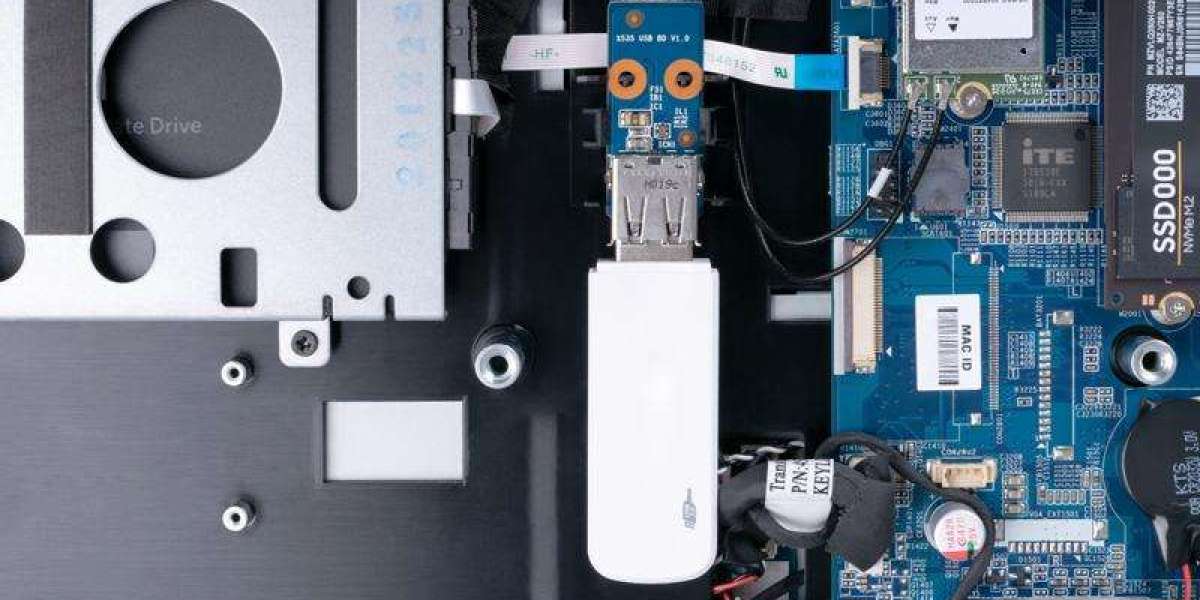
Industrial computers, embedded systems, and automation equipment often require compact storage that fits specific hardware designs. While conventional USB flash drives are commonly used for everyday file storage, industrial applications may require a different physical format, carefully selected memory technology, and verified compatibility with the target system.
A Long PCBA USB Flash Drive is a USB storage device built around a printed circuit board assembly (PCBA) with a longer board design. Depending on the product, this format can be useful when the available internal space, connector position, or equipment layout calls for a particular USB module design.
For engineers, original equipment manufacturers (OEMs), machine builders, and purchasing teams, understanding the design and specifications of a Long PCBA USB flash drive helps simplify product selection and reduce compatibility issues.
This guide explains what a Long PCBA USB flash drive is, how it differs from a conventional USB drive, where it may be used, and what to consider before buying one.
- What Is a Long PCBA USB Flash Drive?
PCBA stands for Printed Circuit Board Assembly. It refers to a printed circuit board populated with electronic components.
A Long PCBA USB flash drive uses a longer board layout for its USB storage electronics. Depending on the model, the assembly may contain flash memory, a controller, and the USB connector. The precise component layout and physical dimensions vary by manufacturer and product.
Unlike a conventional consumer USB stick, which is often enclosed in a plastic or metal housing, a PCBA-style USB storage device may be designed around a more specific physical arrangement for integration into compatible equipment.
The term “Long PCBA” describes the physical design. It does not automatically indicate a higher storage capacity, faster data transfer, greater endurance, or a wider operating temperature range. Those characteristics must be confirmed from the product specifications.
- How Does a Long PCBA USB Flash Drive Work?
A Long PCBA USB flash drive stores data in non-volatile flash memory, allowing information to remain stored when power is removed.
When connected to a compatible host through USB, the device communicates with the host system through its USB interface. The host operating system or embedded software can then access the storage, subject to interface, filesystem, and system compatibility.
A typical USB storage device includes several key elements:
- Flash memory: Stores files, configuration data, software, or other information.
- USB controller: Manages communication between the host and the flash memory.
- USB connector: Provides the physical and electrical connection to the host.
- Printed circuit board: Holds and connects the electronic components.
The exact architecture depends on the product. Buyers should refer to the manufacturer's documentation rather than assume that all PCBA USB drives use identical components.
- Key Features to Consider
When evaluating a Long PCBA USB flash drive for industrial use, focus on the features that directly affect your application.
USB 3.0 interface
USB 3.0 is designed to provide higher theoretical transfer bandwidth than USB 2.0. However, actual performance depends on the host interface, the USB controller, the flash memory, and the type of data being transferred.
Before purchasing, verify the USB interface supported by your industrial PC, embedded computer, or controller. A USB 3.0 device may work with a compatible older USB host, but backward compatibility and performance should be confirmed for the specific system.
MLC flash memory
Multi-Level Cell (MLC) flash memory stores two bits per memory cell. This allows higher storage density than Single-Level Cell (SLC) technology, which stores one bit per cell.
MLC can be a practical choice when the application needs a balance between storage capacity and cost. However, its write endurance is typically lower than SLC, so the expected workload must be considered.
If the USB drive will be used for continuous data logging or frequent writes, review the manufacturer's endurance specifications before selecting a product.
Long-PCBA physical format
The longer board design may be relevant when a particular installation requires a specific module length or connector arrangement.
Before buying, check:
- Available mounting and installation space
- Connector position and orientation
- Clearance from nearby components
- Access for maintenance or replacement
- Mechanical support within the equipment
- Compatibility with the existing USB connection
Do not assume that every Long PCBA model has the same dimensions. Obtain the drawing or technical documentation for the exact product.
Available storage capacity
Capacity determines how much data the drive can hold. The right size depends on the system's files, software packages, backups, and future storage needs.
TecSys lists its USB 3.0 MLC Long PCBA range in 4 GB, 8 GB, 16 GB, and 32 GB capacities. Check the available options and confirm the capacity supported by your equipment before ordering.
Operating temperature
Industrial installations can experience elevated temperatures inside enclosures and control cabinets. Therefore, the drive's rated operating temperature should match the actual conditions where it will be installed.
The TecSys USB 3.0 MLC Long PCBA category lists an operating temperature range of 0°C to 70°C. If your application operates below 0°C or above 70°C, check whether another suitable model is available instead of assuming that this MLC drive supports extended temperatures.
- Long PCBA vs. Short PCBA USB Flash Drives
Long and short PCBA USB flash drives are different physical formats. The choice should be based on equipment layout and compatibility rather than the assumption that one format is universally better.
Selection factor | Long PCBA USB drive | Short PCBA USB drive |
Physical design | Longer board format | Shorter board format |
Installation space | Requires clearance for its longer layout | May suit installations with less available length |
Connector fit | Must match the host and installation | Must match the host and installation |
Capacity | Depends on the model | Depends on the model |
Performance | Depends on the components and interface | Depends on the components and interface |
Best selection method | Check dimensions and system requirements | Check dimensions and system requirements |
Neither design automatically provides better reliability or endurance. The correct choice depends on the product specifications and the physical and electrical requirements of the host equipment.
For replacement projects, compare the existing module's dimensions, connector position, and specifications before placing an order.
- Industrial Applications of Long PCBA USB Flash Drives
Long PCBA USB flash drives may be suitable for several types of industrial and embedded applications when the product matches the system requirements.
Industrial PCs and embedded computers
Industrial PCs often support equipment monitoring, data processing, visualization, and control tasks. A compatible USB storage module can be used for file storage, system-related data, and maintenance operations.
Check the host's USB support, operating system, and filesystem requirements before selecting a drive.
Industrial automation
Automation equipment may use USB storage for transferring configuration files, software packages, and other maintenance data. A PCBA-style design can be useful where the installation calls for a particular physical format.
The device should be validated with the relevant controller or computer before being deployed in production.
Machine maintenance and service
Technicians may use compatible USB storage to transfer files during servicing, update software, or back up configuration information.
For these applications, capacity and interface compatibility matter, while the expected frequency of writes helps determine whether MLC is appropriate.
Embedded equipment
Embedded products often have limited internal space and specific hardware configurations. The Long PCBA format may be relevant when a longer USB storage assembly fits the available layout.
Engineers should confirm dimensions, electrical compatibility, operating conditions, and software support before integrating the device.
Data transfer and configuration storage
USB flash storage can be used to move data between compatible systems or keep files needed during equipment maintenance. The appropriate drive depends on file sizes, transfer frequency, security requirements, and the expected operating environment.
A USB flash drive should not be treated as the only backup for critical production data. Use a suitable backup and recovery process.
- How to Choose the Right Long PCBA USB Flash Drive
Before purchasing a Long PCBA USB flash drive, work through the following selection criteria.
- Define the application. Decide whether the drive will be used for occasional file transfers, software updates, configuration storage, or frequent data recording.
- Confirm physical dimensions. Compare the module's length, connector location, and clearance with the equipment layout.
- Check the USB interface. Confirm the host's supported USB standard and any relevant hardware limitations.
- Select the capacity. Choose enough storage for the required files while checking the host system's capacity and filesystem limitations.
- Verify memory technology. Determine whether MLC is appropriate for the expected write workload. For demanding write-intensive applications, evaluate alternatives such as SLC.
- Match the temperature range. Compare the drive's rated operating temperature with the measured or expected conditions at the installation point.
- Review endurance and data retention. Ask for the relevant specifications if the application requires frequent writes, extended data retention, or a defined service life.
- Consider availability and support. For OEM and industrial projects, confirm product availability, documentation, and replacement options to support maintenance over the expected equipment lifecycle.
- Test before deployment. Validate the selected drive with the actual host hardware and software before rolling it out across multiple machines.
- What Should Buyers Check Before Ordering?
For purchasing teams, the product's name alone is not enough to confirm suitability. Request or review the technical documentation and verify the following information.
Requirement | What to confirm |
Product format | Long PCBA design and physical dimensions |
Interface | USB version and host compatibility |
Memory technology | MLC or another specified flash type |
Capacity | Available capacity options and host support |
Temperature | Manufacturer-rated operating range |
Endurance | Suitability for the expected write workload |
Software compatibility | Operating system and filesystem support |
Supply planning | Availability and replacement options |
Application validation | Successful operation with the target equipment |
This process is particularly useful when sourcing storage for an existing industrial product or designing a new embedded system. It helps purchasing teams compare products on technical suitability instead of relying on price alone.
- Where to Buy a Long PCBA USB Flash Drive
If you are sourcing a Long PCBA USB flash drive for industrial computing, embedded equipment, or compatible automation systems, explore the available options from TecSys.
The TecSys USB Pendrive MLC category lists USB 3.0 Long PCBA models in 4 GB, 8 GB, 16 GB, and 32 GB capacities, with an operating temperature range of 0°C to 70°C. The products are listed at a price on request.
Before ordering, confirm that the selected capacity, physical format, interface, and operating temperature meet your requirements. If the equipment has demanding endurance or environmental needs, contact the supplier to discuss the most suitable option.
Conclusion
A Long PCBA USB flash drive is a USB storage device built around a longer printed circuit board assembly. Its main point of distinction is the physical format, which can matter when integrating storage into industrial PCs, embedded computers, and other compatible equipment.
Choosing the right model requires checking more than its dimensions. USB compatibility, storage capacity, flash memory technology, operating temperature, write endurance, and long-term availability all influence the decision.
For engineers, OEMs, and purchasing teams, a specification-led selection process helps reduce compatibility risks and supports more predictable equipment maintenance. By matching the product to the actual application, you can make a more informed decision about industrial USB storage.
Read More: https://tecsysproductguides.blogspot.com/2026/10/what-is-long-pcba-usb-flash-drive.html