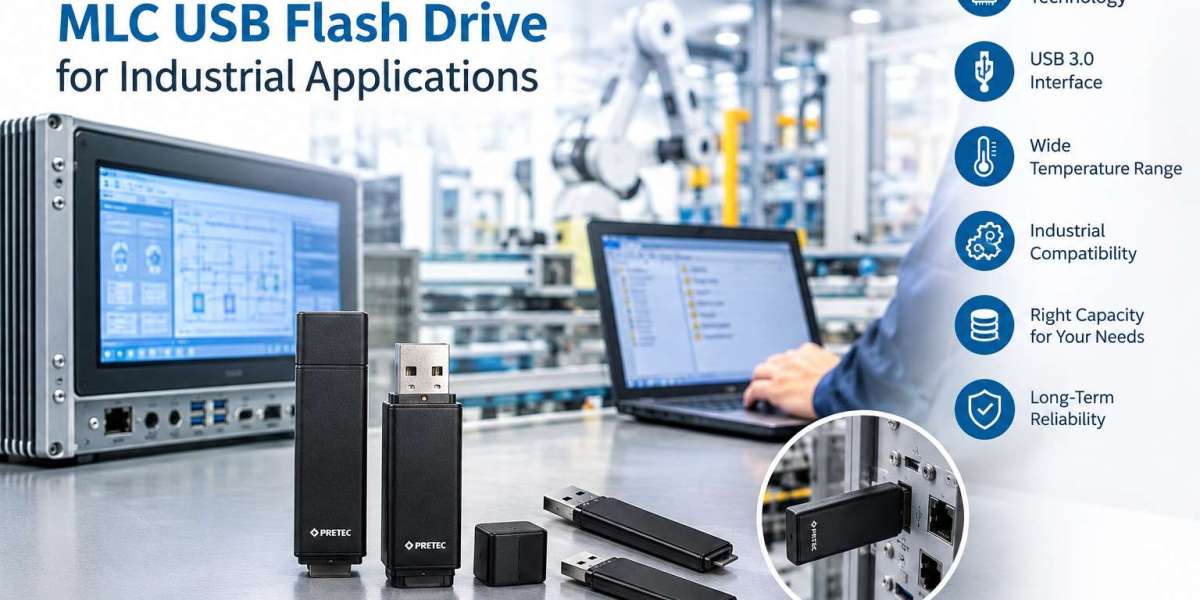
Industrial systems depend on reliable storage for transferring files, maintaining equipment, storing configuration data, and supporting embedded computing applications. Choosing the right USB flash drive is therefore more than a question of storage capacity or price. Buyers must also consider memory technology, operating temperature, interface compatibility, physical design, and the expected frequency of data writes.
An MLC USB flash drive can be a suitable option for industrial applications that need a balance between storage capacity and cost. However, not every MLC drive is designed for the same operating conditions or workload.
This guide explains how to choose an MLC USB flash drive for industrial applications, which specifications to compare, and what to check before purchasing.
- What Is an MLC USB Flash Drive?
MLC stands for Multi-Level Cell. It is a type of NAND flash memory that stores two bits of information in each memory cell. By storing more data per cell than Single-Level Cell (SLC) memory, MLC technology can provide higher storage density and help reduce the cost per unit of capacity.
MLC USB flash drives combine this memory technology with a USB interface, allowing compatible computers and electronic systems to access stored data.
Common industrial and embedded applications may include:
- Industrial PCs and embedded computing systems
- Equipment configuration and software transfers
- Machine maintenance and service operations
- System backups and file distribution
- Data transfer between compatible industrial devices
The suitability of an MLC USB drive depends on the exact product specifications and the demands of the application. For example, a drive used mainly for occasional file transfers has different requirements from one used for continuous data logging.
- Understand MLC vs. SLC Flash Memory
One of the first decisions when selecting industrial USB storage is whether MLC or SLC memory is more appropriate.
MLC stores two bits per cell, while SLC stores one. This difference affects storage density, cost, and potential write endurance.
Selection factor | MLC flash | SLC flash |
Bits stored per cell | 2 | 1 |
Storage density | Higher | Lower |
Cost per capacity | Generally lower | Generally higher |
Write endurance | Typically lower than SLC | Typically higher |
Best-fit consideration | Capacity and cost balance | Workloads requiring higher endurance |
These are general technology differences, not guaranteed specifications for every product.
When should you choose MLC? MLC may be appropriate when the application needs practical storage capacity and cost efficiency, with a workload that falls within the drive's documented endurance limits.
When should you consider SLC? SLC is worth evaluating for applications involving frequent writes, continuous logging, or demanding endurance requirements. The final decision should be based on measured workload and manufacturer specifications, rather than memory type alone.
If your system writes large amounts of data continuously, calculate the expected write workload before selecting a drive.
- Choose the Right Storage Capacity
Storage capacity is an important purchasing consideration. A drive that is too small can restrict future updates, while choosing excessive capacity may increase costs without providing a practical benefit.
Start by identifying what the drive will store.
For example:
- 4 GB: May suit small configuration files or limited data-transfer tasks, depending on the host system.
- 8 GB: May provide additional space for software packages, backups, and maintenance files.
- 16 GB: Can accommodate larger file collections and multiple update packages.
- 32 GB: May suit applications requiring more storage space, subject to system compatibility.
These are illustrative use cases, not fixed capacity requirements. Actual needs depend on file size, filesystem support, available host storage, and the intended workload.
Before purchasing, check the maximum USB storage capacity supported by your industrial PC, controller, or embedded system. Some legacy equipment may have limitations relating to supported filesystems, partition sizes, or boot functionality.
It is also sensible to leave adequate free space for normal operation rather than filling the drive completely.
- Check the USB Interface and System Compatibility
A USB flash drive must work correctly with the target equipment. Even when a drive fits physically, the host system may not support every interface, capacity, or storage configuration.
Check the following before placing an order:
USB interface: Confirm whether the host supports USB 2.0, USB 3.0, or another required specification. A USB 3.0 drive may operate in a compatible older USB environment, but actual performance and compatibility depend on the host and device implementation.
Operating system: Verify that the intended operating system or embedded software can recognise the drive.
Filesystem: Check whether the system supports FAT32, exFAT, NTFS, or another required filesystem. Do not assume every industrial controller supports every format.
Boot support: If the drive will be used to start a system, confirm that the host supports booting from the specific USB device and its configuration.
Physical connection: Ensure that the connector and module design fit the available space and mechanical arrangement.
These checks are especially important when replacing storage in older industrial equipment, where changing the storage device should not introduce unnecessary changes to the wider system.
- Consider Operating Temperature
Industrial equipment may operate in environments that differ significantly from a typical office. Enclosures, control cabinets, machinery, and embedded systems can experience elevated temperatures or changing environmental conditions.
The correct USB flash drive must support the actual operating temperature of the installation.
When evaluating a product, check:
- The manufacturer's specified operating temperature range
- The temperature inside the equipment enclosure
- Heat generated by nearby components
- Expected temperature variations during operation
- Any separate storage-temperature requirements
Do not select a drive based only on the temperature of the room. The internal temperature of an enclosed machine or industrial PC may be higher.
Also, do not assume that every MLC USB flash drive supports an extended industrial temperature range. Confirm the specifications of the exact model before purchasing.
For example, the TecSys MLC USB drive category lists USB 3.0 long-PCBA and short-PCBA variants with capacities of 4 GB, 8 GB, 16 GB, and 32 GB and an operating temperature range of 0°C to 70°C. These specifications should be checked against the requirements of the intended application.
- Select the Right Physical Design: Long PCBA or Short PCBA
The physical design of an industrial USB drive can influence how easily it fits into an existing system.
Some industrial applications use compact internal USB storage modules rather than conventional consumer-style USB sticks. In these applications, the available clearance, connector position, mounting arrangement, and access for maintenance may all matter.
When comparing long-PCBA and short-PCBA USB drives, consider:
- Available physical space inside the equipment
- USB connector location and orientation
- Clearance from other components
- Access for installation and replacement
- Mechanical stability in the intended configuration
- The host's physical and electrical requirements
A longer module is not automatically better, and a shorter module is not automatically more suitable. The right choice is the one that matches the system's documented mechanical and electrical requirements.
Before ordering a replacement, compare the existing storage device with the product drawing or technical documentation. If the drive will be installed inside equipment, verify the complete assembly rather than evaluating the USB module in isolation.
- Evaluate Endurance and Data-Retention Requirements
Flash memory has a finite write endurance. Repeated writing and erasing gradually wears the memory cells, so the expected workload should influence the purchasing decision.
Consider how the drive will be used:
Read-intensive applications: If the drive mainly stores files that are read repeatedly and updated occasionally, the write workload may be relatively low.
Occasional maintenance: A drive used to transfer configuration files, software packages, or backups during scheduled maintenance may have different endurance requirements from one that records data continuously.
Continuous data logging: Frequent writes can place substantially greater demands on flash memory. In this case, ask the supplier for relevant endurance specifications and determine whether MLC is appropriate for the expected write volume.
Where available, review manufacturer information on write endurance, data retention, error management, and behaviour during interrupted writes.
Data retention and write endurance are not the same thing. A drive may have unused write endurance yet still require consideration of how long data must remain readable when the device is unpowered, particularly after substantial use or exposure to elevated temperatures.
For important industrial data, maintain an appropriate backup and recovery process. No flash drive should be treated as a substitute for a complete data-protection strategy.
- Compare Total Cost, Not Just Purchase Price
The cheapest USB flash drive is not necessarily the most economical choice for industrial equipment.
When comparing products, consider the total cost over the expected service period. This may include the initial purchase, engineering validation, installation, replacement effort, downtime, and any work required to restore configuration files or software.
A useful purchasing comparison includes:
Factor | What to verify |
Purchase price | Price per unit and quantity discounts |
Capacity | Enough space for current and planned files |
Compatibility | Confirmed operation with the target system |
Temperature | Documented range matching the installation |
Endurance | Suitability for the expected write workload |
Physical design | Fit, clearance, and connector arrangement |
Availability | Supply continuity and replacement options |
Support | Access to product documentation and technical assistance |
For OEMs and machine builders, consistency is also important. If a storage device becomes part of a validated equipment design, changes to the model or specifications may require additional testing. Discuss availability and potential product changes with the supplier when long-term support is important.
- Common Mistakes to Avoid When Buying an MLC USB Drive
Before finalising a purchase, avoid these common mistakes:
Choosing by capacity alone. A 32 GB drive is not automatically a better choice than an 8 GB drive if the application requires less space and the larger model introduces compatibility concerns.
Assuming every industrial USB drive has the same temperature rating. Check the exact model's specifications.
Ignoring write frequency. A drive used for continuous logging may need a different endurance profile from one used for occasional maintenance.
Overlooking filesystem compatibility. A drive may be recognised by a modern computer but not by an older industrial controller.
Assuming USB 3.0 guarantees higher system performance. The host interface, controller, flash memory, and workload all affect real-world transfer speeds.
Replacing a legacy device without testing. Validate the replacement in a controlled environment before deploying it across production equipment.
Failing to plan for data recovery. Keep appropriate backups and document the steps needed to restore the system if storage fails.
- Where to Buy an MLC USB Flash Drive for Industrial Applications
If you are sourcing an MLC USB flash drive for an industrial PC, embedded system, or compatible equipment, start with the application's requirements rather than selecting a model by price alone.
TecSys offers a category of MLC USB flash drives with USB 3.0 long-PCBA and short-PCBA options. The listed capacities are 4 GB, 8 GB, 16 GB, and 32 GB, with an operating temperature range of 0°C to 70°C. Pricing is available on request.
Before ordering, confirm the required capacity, physical format, interface compatibility, operating temperature, and write-endurance requirements with the supplier. If the drive is intended for continuous logging or a particularly demanding environment, ask whether another memory technology or product variant would be more appropriate.
Conclusion
Choosing the right MLC USB flash drive for industrial applications requires more than comparing storage capacities. Buyers should assess memory technology, USB compatibility, operating temperature, physical design, write endurance, data-retention needs, and long-term availability.
MLC can be a practical option when the application needs a balance between capacity and cost, provided the selected model meets the system's technical requirements. For workloads with intensive writing or unusual environmental demands, compare alternative storage technologies and obtain the relevant specifications before making a decision.
By defining the application first and checking the complete product specification, engineers, OEMs, and purchasing teams can select USB storage with greater confidence and reduce avoidable compatibility issues.
Read More: https://tecsysproductguides.blogspot.com/2026/10/how-to-choose-right-mlc-usb-flash-drive.html