
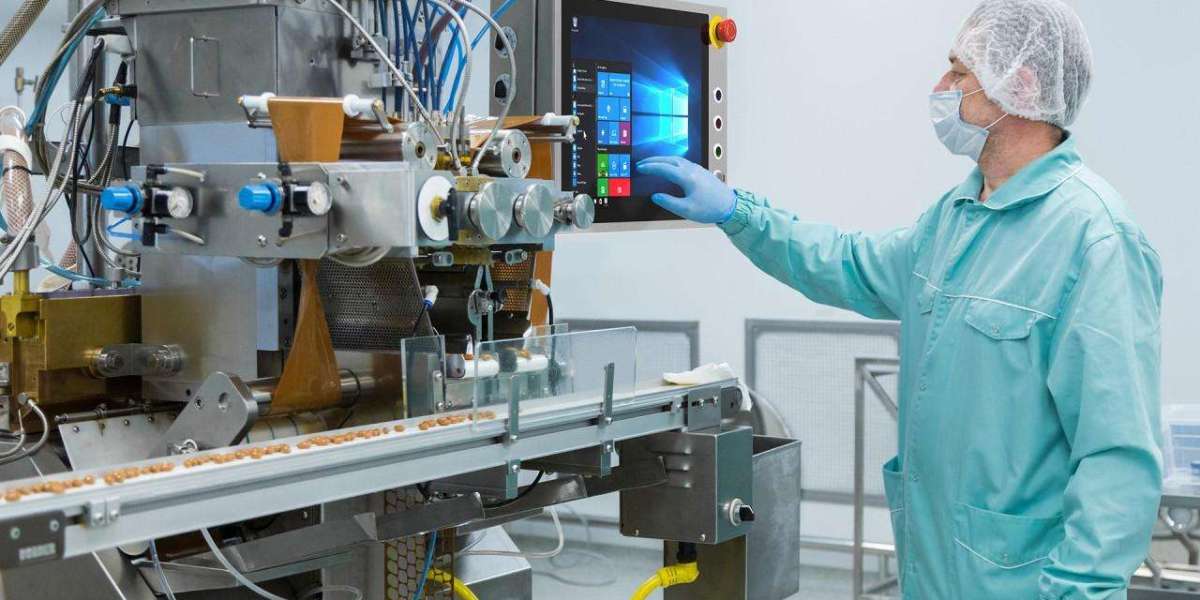
Choosing the right stainless steel industrial PC is important for businesses that need reliable computing equipment in demanding industrial environments. These computers are commonly used in manufacturing, food processing, pharmaceutical production, packaging and industrial automation. They are designed for applications where enclosure durability, environmental protection and dependable performance are important.
However, not every stainless steel industrial PC is suitable for every application. Before purchasing, buyers should consider the operating environment, protection rating, screen size, processing power, connectivity and long-term maintenance requirements.
- Understand Your Industrial Environment
The first step is to identify where the computer will be installed and how it will be used. Industrial environments can expose equipment to dust, moisture, oil, vibration, temperature changes and cleaning chemicals.
For example, a computer used on a dry factory floor may have different requirements from one installed in a food-processing facility that undergoes regular cleaning. Understanding these conditions helps you select a suitable enclosure and protection level.
Consider the surrounding temperature, potential exposure to liquids, cleaning methods and available installation space. If the computer will be installed inside machinery, check whether it has enough ventilation and clearance to operate within its specified temperature range.
- Check the Stainless Steel Quality
Stainless steel is commonly used in industrial equipment because of its corrosion resistance and durability. However, different stainless steel grades offer different levels of resistance to environmental conditions.
Stainless steel 304 is often used in general industrial applications. Stainless steel 316 or 316L may be more suitable where exposure to chlorides, salts or certain cleaning chemicals creates greater corrosion risks.
The right material depends on the actual application and cleaning conditions. Buyers should also examine the enclosure design, joints, seals and surface finish. In environments with strict hygiene requirements, smooth surfaces and easy-to-clean construction can be particularly important.
Do not assume that every stainless steel computer is suitable for food processing or pharmaceutical production. Always confirm the manufacturer's material specifications and application recommendations.
- Evaluate the IP Protection Rating
The Ingress Protection rating indicates how well an enclosure protects against solid particles and water under specified test conditions.
For industrial applications, IP65 and IP66 are common ratings to consider when dust and water jets are potential concerns. IP67 covers temporary immersion under specified conditions, while IP69K is associated with high-pressure, high-temperature water-jet cleaning.
These ratings are not interchangeable. A computer with an IP67 rating is not automatically suitable for repeated high-pressure washdown.
Before buying, check whether the stated protection rating applies to the complete computer or only to its front panel. Connectors, cable entries and mounting arrangements can also affect protection after installation.
- Select the Right Display and Touchscreen
Screen size and touch technology influence how easily operators can interact with industrial equipment. A compact display may be sufficient for basic machine control, while a larger screen may be more appropriate for complex production dashboards or process visualizations.
Consider screen resolution, brightness, viewing angles and available mounting space. The display should be readable under the lighting conditions in the facility.
Touchscreen technology is another important factor. Projected capacitive touchscreens generally support multi-touch operation, while resistive touchscreens may suit certain applications involving gloves or styluses. Performance depends on the specific touchscreen and the gloves or operating conditions involved.
If operators work with protective gloves or in wet environments, test the touchscreen before making a final decision.
- Choose Suitable Processing Performance
The computer's processor, memory and storage should match the software and workloads it needs to handle. Basic operator interfaces may require fewer resources than applications running SCADA software, databases, analytics or multiple programs simultaneously.
Before selecting a configuration, confirm the operating system, processor requirements, RAM, storage capacity and software compatibility. Also consider whether future software updates may increase system requirements.
Choosing the most powerful computer is not always necessary. A suitable configuration should provide enough performance for the intended workload without adding unnecessary costs. For critical applications, verify compatibility with the software and hardware already used in the facility.
- Check Connectivity and Compatibility
A stainless steel industrial PC often needs to communicate with other equipment. Depending on the application, it may require Ethernet, USB, serial interfaces or specific industrial communication protocols.
Check whether the computer can connect to the required PLCs, sensors, controllers, production networks and monitoring systems. Confirm the number and type of ports before purchasing.
Also review connector placement and cable protection. In environments exposed to moisture or dust, connections must be suitable for the installation conditions. Do not assume that every industrial PC supports every communication protocol; confirm compatibility with the manufacturer.
- Consider Cooling and Continuous Operation
Many industrial computers operate for extended periods, sometimes around the clock. Cooling and thermal management are therefore important selection factors.
Fanless industrial PCs can reduce the number of moving parts and avoid drawing air through a cooling fan. However, they still need an appropriate thermal design and sufficient heat dissipation. Fan-cooled systems may be suitable for workloads requiring greater processing performance.
Check the specified operating temperature range and compare it with the actual conditions at the installation location. Vibration, power quality and mounting stability should also be considered when evaluating long-term reliability.
- Compare Total Cost of Ownership
The purchase price is only one part of the cost of an industrial PC. Installation, integration, software licences, maintenance and replacement parts can affect the overall investment.
When comparing products, review the warranty, technical support, product availability and expected lifecycle. Ask whether the supplier can provide replacement units or components if the system needs maintenance in the future.
A slightly more expensive computer may offer better value if it meets the application's requirements and reduces the need for additional protection or costly modifications. The objective is to select equipment that provides the required performance and environmental protection at a reasonable long-term cost.
Final Buying Checklist
Before purchasing a stainless steel industrial PC, confirm the following:
- The computer is suitable for the operating environment.
- The stainless steel grade meets corrosion and cleaning requirements.
- The IP rating matches the expected exposure to dust and water.
- The screen size and touchscreen suit operator needs.
- The processor, memory and storage support the intended software.
- Required ports and communication protocols are available.
- Cooling and temperature specifications match the installation.
- Warranty, technical support and product availability are acceptable.
Conclusion
Choosing the right stainless steel industrial PC requires a clear understanding of your application and operating conditions. Enclosure material, IP protection, touchscreen usability, processing performance, connectivity and maintenance should all be considered before making a purchase.
By comparing these factors carefully, industrial buyers can identify a computer that meets their technical requirements and supports reliable operation. Always review the manufacturer's datasheet and confirm model-specific specifications before selecting a system for production or automation use.
Read More: https://tecsysproductguides.blogspot.com/2026/10/how-to-choose-right-stainless-steel.html