
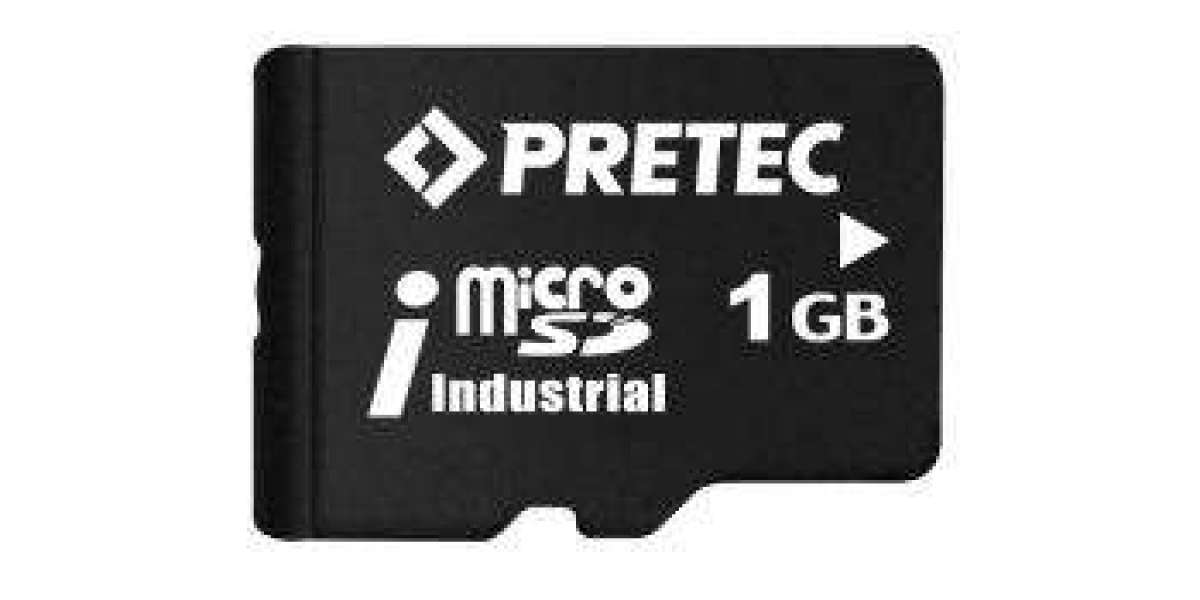
A familiar situation in service and maintenance: the microSD card in an older measuring device, controller or terminal fails. A technician inserts a new card, a brand-name product with plenty of capacity, and the device reports "no card", "card error" or simply does not start.
The new card is not defective. In most cases the problem is a mismatch between the card's capacity class and what the device can handle. Many embedded systems were designed when microSD cards had a few hundred megabytes or a few gigabytes. Their firmware and hardware only support the original SD standard capacity class, called SDSC. Today's consumer cards are almost all SDHC or SDXC, and a device that only knows SDSC cannot use them.
This article explains the SD capacity classes, why older devices reject newer cards, how to diagnose the problem and how to find the right replacement card.
The SD capacity classes
The SD Association defines capacity classes for SD and microSD cards. Each class has its own capacity range and default file system:
Capacity class | Capacity range | Default file system |
SD (Standard Capacity, SDSC) | up to 2 GB | FAT12 / FAT16 |
SDHC (High Capacity) | over 2 GB to 32 GB | FAT32 |
SDXC (eXtended Capacity) | over 32 GB to 2 TB | exFAT |
SDUC (Ultra Capacity) | over 2 TB to 128 TB | exFAT |
The compatibility rule that matters for embedded systems is simple: a device can only use the classes it was designed for. A host that supports SDHC can normally also use SDSC cards. A host that only supports SDSC cannot use SDHC or larger cards, even though they fit mechanically into the same slot.
And this is where the practical problem starts: the consumer market has moved on to SDHC and SDXC. Cards of 2 GB and smaller, the only capacities an SDSC-only device can use, are hardly available from retail anymore.
Why an older device cannot use an SDHC card
The difference between SDSC and SDHC is not only the capacity. High-capacity cards were introduced with version 2.00 of the SD physical layer specification, and they changed how host and card communicate. Three technical points explain why an older device fails.
- Initialisation
When a card is inserted, the host runs an initialisation sequence. Version 2.00 added a new command, CMD8, which the host sends before the actual initialisation command ACMD41. In ACMD41, a host that supports high capacity sets the HCS bit to tell the card: "I can handle SDHC." After initialisation, the card reports its type through the CCS bit.
A host designed for the older specification does not send CMD8 and does not set the HCS bit. A high-capacity card that does not receive this signal does not complete initialisation for that host. The device reports a missing or defective card.
- Addressing
SDSC cards are addressed byte by byte, while SDHC and SDXC cards are addressed in blocks of 512 bytes. Firmware written for SDSC calculates addresses the old way. Even if a card were detected, read and write operations would point to the wrong locations.
- File system
SDSC cards use FAT12 or FAT16, SDHC cards FAT32 and SDXC cards exFAT. Small embedded file system implementations often support only FAT16 or FAT32, and older devices frequently support only FAT16. A card with an unsupported file system cannot be mounted, even if the hardware communication works.
Together, these three points explain the typical symptoms: "no card", "card error", "unsupported format" or a device that does not boot.
How to diagnose the problem
- Check the old card. Read the capacity and logo on the card that worked before. A card of 2 GB or less without an SDHC logo indicates an SDSC device.
- Check the new card. Cards over 2 GB carry an SDHC or SDXC logo. If the old card was SDSC and the new one is SDHC, you have found the most likely cause.
- Check the device documentation. Manuals or datasheets often state the supported card type or maximum capacity, for example "SD cards up to 2 GB".
- Check the file system. Some devices need a card formatted with a specific file system, often FAT16 for small cards. Use the format the manufacturer specifies.
- Test with a known SDSC card. If a card of 2 GB or less works, the device supports only SDSC.
- Clone or restore the content. If the card holds firmware, an operating system or configuration data, make an image of the old card before it fails completely, so it can be written to the replacement card.
Three ways to solve it
Solution | When it fits | Effort |
Use an SDSC replacement card (2 GB or less) | The device works and only needs a new card | Low: order the right card, restore the content |
Firmware update to support SDHC | The device manufacturer offers an update | Medium: depends on availability and testing |
Redesign of the electronics | The device is still built or must run for many more years | High, but solves the problem permanently |
In most service cases, the first solution is the fastest and safest: a small-capacity card in the SDSC class that matches what the device was designed for. Because these capacities have largely disappeared from retail, it makes sense to source them from a supplier that offers industrial cards in small capacities and to keep spare cards in stock.
When a redesign makes sense: if a product is still being manufactured, or if it has to run for many more years, relying on ever rarer SDSC cards is a long-term risk. In that case, updating the card interface and firmware to support SDHC, or moving to a different storage medium, removes the dependency for good.
Small-capacity industrial microSD cards from TecSys
The SD2.0 industrial microSD card in the TecSys shop is available in exactly the capacities older embedded devices need:
Feature | SD2.0 industrial microSD |
Capacities | 512 MB, 1 GB, 2 GB |
Temperature range | -40 °C to +85 °C |
Data protection | ECC (error correction) |
Typical use | Replacement and series cards for embedded systems, controllers, data loggers and industrial devices |
Because it is an industrial card, it is also designed for the conditions these devices often run in: wide temperature ranges and continuous operation.
Not sure which card your device needs? Send us the device type, the capacity and labelling of the old card and the error message. We will help you identify the right replacement card. For larger quantities or regular spare-part stocking, ask us for a quote.
And if your product has a long future ahead, our engineering team can also support you with a redesign of the electronics, so the device no longer depends on legacy card types.
Frequently asked questions
What is the difference between SDSC and SDHC?
SDSC (standard capacity) covers cards up to 2 GB with FAT12/FAT16. SDHC (high capacity) covers cards over 2 GB up to 32 GB with FAT32. SDHC also uses a different initialisation and block-based addressing.
Can a device that supports SDHC also read SDSC cards?
A host designed for SDHC normally supports SDSC cards as well. The reverse is not the case: an SDSC-only host cannot use SDHC cards.
Can I format an 8 GB card with FAT16 to make it work in an old device?
No. The file system is only one part of the problem. An SDHC card still requires the newer initialisation and block addressing, which an SDSC-only device does not support.
How do I know if my device only supports SDSC?
Check the manual for a maximum card capacity of 2 GB, look at the original card, or test with a card of 2 GB or less. If small cards work and larger ones do not, the device supports only SDSC.
Why are small microSD cards so hard to find?
The consumer market has moved to larger capacities. Small cards are mainly offered by suppliers of industrial storage media for embedded and legacy applications.
Is an industrial card necessary for a replacement?
For devices running in harsh conditions or continuous operation, an industrial card with a wide temperature range and error correction is the more reliable choice and avoids repeated failures.
Read More: https://tecsysproductguides.blogspot.com/2026/10/why-your-embedded-system-doesnt.html