Every machine needs an operator interface. For years, the default answer was a classic HMI operator panel: a dedicated device with its own visualization project, configured in the manufacturer's HMI software. Today, more and more controllers, building automation systems and devices bring their own web server, and a second option has become attractive: the industrial web panel, which simply displays the web-based user interface that already exists in the control system.
Both approaches work. But they differ in where the visualization lives, how much engineering effort is needed, how updates are handled and what the operator interface can do. Choosing the wrong one means paying for software and engineering you do not need, or missing functions you will need later.
This guide explains how both approaches work, compares them side by side, and shows which one fits which kind of machine or installation.
How the two approaches work
Classic HMI operator panel
A classic HMI panel runs its own visualization project. The screens, tags, alarms and recipes are created in the HMI manufacturer's engineering software, compiled and downloaded to the panel. The panel then communicates with the controller over a fieldbus or industrial Ethernet protocol and reads and writes the process values itself.
The intelligence of the operator interface sits in the panel. That gives you local functions such as alarm logging, recipe handling, user management and trend recording, but it also means a second software project that has to be created, maintained, versioned and licensed alongside the PLC program.
Industrial web panel
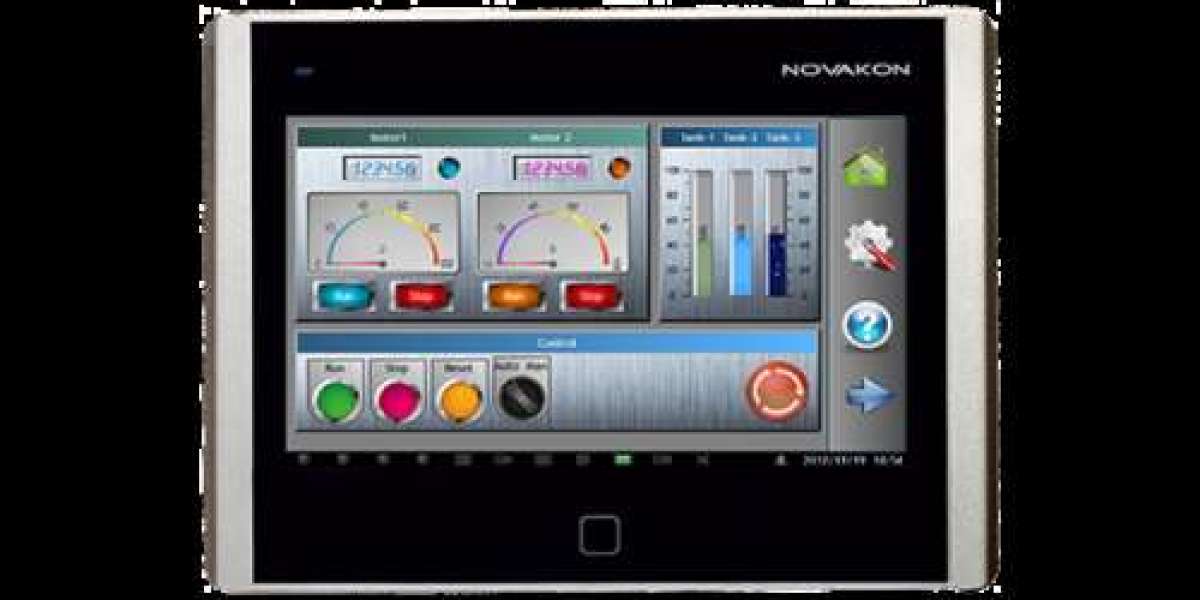
A web panel takes a different route. The visualization is not stored in the panel but in the controller or device, which serves it through its own web server. The web panel connects over Ethernet, opens the start page and displays the interface, much like a browser on a PC, but in a robust, compact housing designed for the control cabinet or machine front.
Typical examples are controllers with CODESYS WebVisu, where the visualization is created together with the PLC application and displayed in an HTML5 browser, or web HMI frameworks such as SpiderControl. The panel itself mainly needs a display, touch, network access and a suitable browser.
The intelligence sits in the controller. The visualization is engineered once, in the PLC environment, and can be opened from the web panel at the machine and, if the network allows it, from other devices as well.
Side by side
Criterion | Classic HMI operator panel | Industrial web panel |
Where the visualization lives | In the panel | In the controller or device (web server) |
Engineering | Separate HMI project in the panel manufacturer's software | Created once in the PLC or device environment |
Software licences | Often HMI software and runtime licences | Depends on the controller; the panel needs no HMI project |
Updates | Download a new project to every panel | Update the visualization in the controller; panels show the new version |
Access from other devices | Usually limited to the panel | Possible from other browsers on the network, if permitted |
Local functions (alarm logs, recipes, trends) | Strong, handled in the panel | Depend on what the controller's web visualization offers |
Dependency on the network | Direct link to the controller | Requires a working Ethernet connection to the web server |
Typical hardware effort | Higher-performance panel with HMI runtime | Compact panel with display, touch and browser |
Vendor lock-in | Tied to the HMI software ecosystem | Tied to the controller's web technology, panel is interchangeable |
The trade-offs behind the table
The web panel's main advantage is one engineering environment: the visualization is built and maintained where the machine logic lives, and the panel becomes a replaceable display device. That reduces engineering effort and makes updates simpler, especially when many identical machines are built.
The classic HMI panel's advantage is independence and depth of local functions. It can store alarms and recipes locally and does not depend on a web server in the controller. For complex operator interfaces with demanding local functions, this can still be the better choice.
One point applies to both: network security. As soon as a visualization is reachable over Ethernet, access control, network segmentation and, where available, encrypted connections should be planned from the start.
Which one fits your machine?
A web panel is usually the better fit if:
- your controller already provides a web visualization, for example CODESYS WebVisu or a SpiderControl-based HMI
- you build series machines and want to maintain only one software project per machine type
- the operator interface is compact: status, setpoints, start/stop, a few service screens
- space in the control cabinet or on the machine front is limited
- you want to keep the option of opening the same interface from a service laptop or tablet
A classic HMI panel is usually the better fit if:
- your controller has no web server, or its web visualization is too limited for your needs
- you need extensive local functions such as alarm archives, recipe management or trend recording in the panel itself
- the operator panel must keep working independently of the controller's web server
- your team is fully standardised on a specific HMI software and the switching effort would outweigh the benefit
Typical applications for web panels:
- compact machines and modules with a CODESYS-based controller
- building automation and room control, where devices offer web interfaces
- auxiliary operator stations, for example a second operating point at the other end of a line
- retrofits, where an existing web-capable controller gets a robust local display
Checklist: choosing an industrial web panel
- Compatibility with your visualization: Does the panel support the web technology of your controller, for example CODESYS WebVisu or SpiderControl? Ask for a test with your own visualization before ordering in series.
- Display size and resolution: Is the screen large enough for your layouts? A 4.3" panel suits compact status and setpoint screens; 7" gives room for more complex pages.
- Touch technology: Resistive touch works with gloves and pens and is robust against water droplets; capacitive touch offers multi-touch and a glass surface.
- Interfaces: Ethernet speed, and whether you need USB or serial ports for additional functions.
- Power supply: Does the input voltage range match your 24 V DC supply, including tolerances?
- Protection class and environment: Front IP rating, operating temperature range and humidity for your installation site.
- Mounting: Panel mounting with a defined cut-out, or VESA mounting for arms and brackets.
- EMC and conformity: Which EMC standards does the panel meet for industrial environments?
- Long-term availability: How long will the model and spare parts be available? This matters for series machines.
- Support: Is there a local partner who can help with commissioning and questions?
Compact web panels for CODESYS and SpiderControl: the Pericom N-Series
The N-Series web panels from Pericom are designed exactly for the web panel approach: compact touch panels for displaying CODESYS and SpiderControl web visualizations at the machine.
N04 (4.3") | N07 (7") | |
Display | 4.3" TFT, 480 × 272 px, LED backlight | 7" TFT, 800 × 480 px, LED backlight |
Touch | 4-wire resistive | 4-wire resistive |
Processor | ARM9, 400 MHz | ARM9, 400 MHz |
Network | Ethernet | 10/100 Mbit Ethernet (N07-N) |
Further interfaces | see datasheet | USB host and device, serial ports (RS232/422/485) |
Front protection | see datasheet | IP65 (front) |
Operating temperature | see datasheet | 0 °C to 50 °C |
Mounting | see datasheet | Panel mount or VESA 75 × 75 |
Design | compact | fanless |
The resistive touch can be operated with gloves, and the compact formats fit where a full HMI panel or panel PC would be oversized: small machines, modules, auxiliary operating points and installations with limited space.
Detailed specifications are available in the datasheets on the product pages: 4.3" web panel and 7" web panel.
Frequently asked questions
What is an industrial web panel?
A robust touch display that shows a web-based operator interface served by a controller or device over Ethernet. The visualization is created in the controller, not in the panel.
Do I need HMI software for a web panel?
No separate HMI project is created for the panel itself. The visualization is engineered in the controller environment, for example as CODESYS WebVisu, and the panel displays it.
Can a web panel replace my existing HMI panel?
If your controller offers a web visualization with the functions you need, often yes. If you rely on local alarm archives, recipe handling or other functions stored in the HMI panel, check first whether the web visualization covers them.
What happens if the network connection is interrupted?
The web panel needs a working connection to the web server in the controller. Plan a stable, direct Ethernet connection to the controller, as you would for any networked operator interface.
Resistive or capacitive touch for a web panel?
Resistive touch works with gloves and is robust in harsh environments; capacitive touch offers multi-touch and a glass surface. For machine operation with gloves, resistive is often the practical choice.
Which screen size do I need?
4.3" is suitable for compact status and setpoint screens on small machines or modules. 7" offers more space for several values, buttons and service pages on one screen.
Is a web panel secure?
Security depends on the network design and the controller's web server settings. Separate machine networks, restrict access and use encrypted connections where the controller supports them.