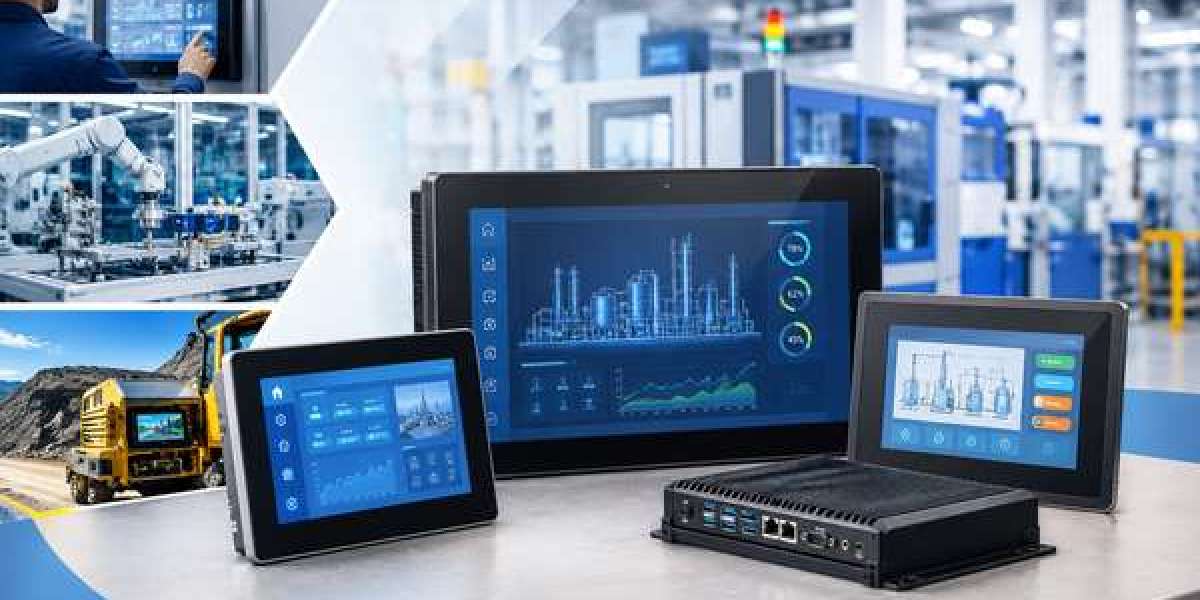
Industrial environments demand much more from a computer than a typical office or consumer system. Factory floors, machine rooms, warehouses, outdoor installations, transportation systems and production lines can expose equipment to dust, moisture, vibration, temperature fluctuations and continuous operation. In these conditions, a standard desktop or commercial touchscreen computer may not provide the reliability required for long-term use. This is why rugged industrial touchscreen PCs are increasingly used for machine control, automation, monitoring and human-machine interface (HMI) applications.
A rugged industrial touchscreen PC combines a computer, display and touch interface into a single system designed for demanding environments. However, simply using a metal enclosure does not automatically make a PC industrial. A truly industrial system needs to be designed around the conditions in which it will operate, including environmental protection, thermal management, touch reliability, connectivity, mechanical durability and long-term availability.
Understanding Industrial Protection
One of the first specifications buyers should examine is the IP rating. An IP rating defines the level of protection an enclosure provides against solid particles and liquids. For example, an IP65-rated enclosure provides dust-tight protection and protection against water jets under specified test conditions. Higher ratings may be appropriate for applications involving more demanding exposure to water or cleaning processes.
It is important to check exactly what the manufacturer's IP rating covers. Some industrial touchscreen PCs may provide a particular IP rating for the front bezel while the rear of the system has a different level of protection. Before purchasing, buyers should confirm whether the stated protection applies to the complete unit or only a specific part of the enclosure.
Why Fanless Design Can Be Important
Cooling is another factor that separates industrial computers from many conventional PCs. Standard computers often rely on fans to move air through the enclosure. In dusty industrial environments, this can allow particles to enter the system and may increase maintenance requirements.
Many industrial PCs use fanless cooling, transferring heat through the chassis and passive cooling components instead. This design eliminates moving cooling parts and can be beneficial in dusty environments and installations where maintenance access is limited. However, fanless does not automatically mean that a system is suitable for every application. Buyers should still check the processor, power consumption, operating temperature and thermal design to ensure the computer can handle the intended workload.
Operating Temperature and Environmental Conditions
Temperature can have a significant effect on electronic equipment. A computer operating inside an air-conditioned office may experience a stable environment, while a machine-mounted computer can be exposed to heat generated by industrial equipment or low temperatures in warehouses and outdoor installations.
When selecting an industrial touchscreen PC, buyers should look at the specified operating temperature range, rather than relying on storage temperature specifications. The system should be capable of operating reliably within the actual environmental conditions of the installation.
Other environmental factors such as humidity, condensation, dust, vibration and exposure to cleaning chemicals should also be considered before choosing a system.
Touchscreen Technology Matters
The touchscreen is the primary interface between the operator and the machine, making touch technology an important part of the purchasing decision. Projected capacitive (PCAP) touchscreens are widely used because they provide clear images, multi-touch functionality and a smooth glass surface. Depending on the design, PCAP screens can also support operation with gloves.
Resistive touchscreens can be useful in applications where operators use heavy gloves, pens or other tools and require precise single-point interaction.
There is no universally best touchscreen technology. The correct choice depends on how the equipment will actually be used. Buyers should consider whether operators wear gloves, whether the display may become wet, whether multi-touch is required and whether a stylus or tool will be used.
Display Visibility in Industrial Environments
A high-resolution display is not necessarily the best display for an industrial application. Visibility depends on the environment in which the touchscreen PC will be used.
For bright factories, outdoor installations or vehicle applications, display brightness, contrast and viewing angle can be particularly important. Anti-glare and anti-reflective treatments may also improve usability where reflections could make the screen difficult to read.
The objective should be to select a display that allows operators to clearly read information and interact with the system under the actual lighting conditions of the application.
Connectivity and Industrial Interfaces
Industrial touchscreen PCs often need to communicate with machines, sensors, controllers and other equipment. As a result, connectivity can be just as important as processor performance.
Depending on the application, an industrial PC may require Ethernet, USB, RS-232, RS-422, RS-485, CAN, digital I/O or other communication interfaces. Wireless connectivity such as Wi-Fi and Bluetooth may also be required for certain applications.
Before buying, it is worth creating a list of the interfaces required by the machine or automation system. Selecting a computer with the correct connectivity from the beginning can avoid additional adapters and integration work later.
Reliability for Continuous Operation
Industrial computers are frequently expected to operate for long periods, sometimes continuously. Thermal management, component selection, storage technology and power design can therefore have a direct impact on system reliability.
A commercial computer may initially cost less, but hardware failure in a production environment can result in downtime, maintenance expenses and lost productivity. For this reason, industrial PC buyers should consider the total cost of ownership, rather than looking only at the initial purchase price.
Long-term technical support and product availability are also important, particularly for OEMs and machine manufacturers. If a computer is integrated into a machine that will be produced for several years, unexpected product discontinuation can create additional engineering and validation costs.
Standard or Custom Industrial Touchscreen PC?
For many applications, a standard industrial touchscreen PC can provide an efficient solution. If the required display size, processor, touch technology, interfaces and environmental specifications are already available, an off-the-shelf system can reduce development time.
However, some applications have requirements that cannot easily be met with a standard product. An OEM may need a specific screen size, customized enclosure, special connectors, particular processor, additional I/O, high-brightness display or specific touch functionality.
In these situations, a custom industrial touchscreen PC can be a more suitable option. Instead of modifying the machine to accommodate an existing computer, the computer can be designed around the machine's requirements. This can be particularly valuable for machine builders, automation companies and OEMs developing specialized equipment.
What Should You Consider Before Buying?
Before purchasing a rugged industrial touchscreen PC, consider the complete application rather than focusing on one specification. Define the operating temperature, IP protection requirement, vibration level, display brightness, touchscreen technology, processor performance, storage, connectivity, mounting method and power requirements. For OEM projects, also consider expected product lifetime, availability of replacement units and technical support.
The right industrial touchscreen PC is the one that matches the actual environment and workload while providing reliable operation over the required service life. A highly powerful computer with unsuitable environmental protection may be a poor choice, while a properly specified industrial system can provide better reliability and lower long-term maintenance costs.
Conclusion
A rugged industrial touchscreen PC is more than a computer with a touchscreen and a robust-looking enclosure. Its industrial suitability comes from the combination of environmental protection, thermal management, durable construction, reliable touch technology, industrial connectivity and long-term availability.
For straightforward applications, an existing industrial Panel PC may provide the right balance of performance and cost. For specialized machinery and OEM projects, a customized solution can provide greater flexibility and integration.
When selecting your next industrial touchscreen PC, focus on the conditions in which it will operate, how operators will interact with it and how long the system needs to remain available. These considerations will help you choose a solution that delivers reliable performance not only at installation, but throughout the life of the equipment.
Read More: https://tecsysproductguides.blogspot.com/2026/09/rugged-industrial-touchscreen-pcs-what.html