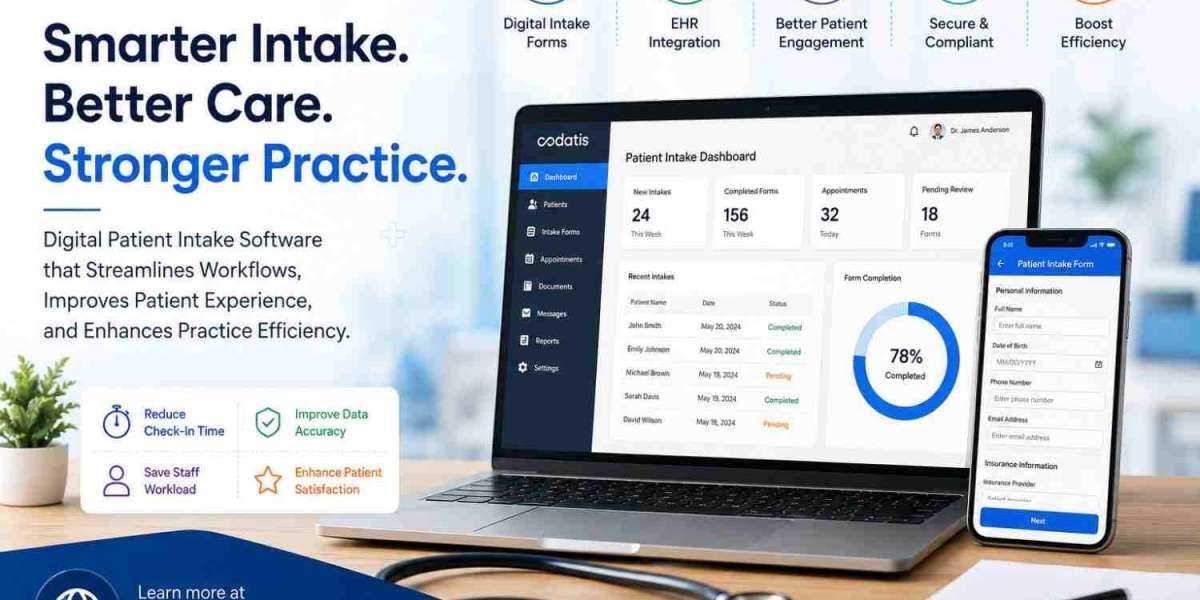
Medical practices manage a large amount of patient information every day. Registration forms, insurance details, medical histories, consent documents, questionnaires, and demographic information all need to be collected accurately before or during a visit. When these processes depend on paper forms and manual data entry, they can create delays and increase the workload for front-desk and clinical staff.
Digital patient intake software provides a more efficient alternative by allowing patients to complete forms electronically before arriving or while checking in. When connected with an EHR or practice management system, the information can move directly into the appropriate workflow. Patient Intake EMR Software can therefore help practices reduce administrative work, improve data accuracy, and create a smoother patient experience.
What Is Digital Patient Intake Software?
Digital patient intake software is a technology solution that allows healthcare organizations to collect patient information electronically. Instead of completing paper forms in a waiting room, patients can use smartphones, tablets, computers, kiosks, or patient portals.
Depending on the platform, digital intake may include:
- Patient demographics
- Medical history
- Insurance information
- Consent forms
- Electronic signatures
- Clinical questionnaires
- Medication information
- Appointment details
- Identification documents
- Patient payments
- Pre-visit screening
The information can then be reviewed by staff and transferred into the patient's electronic health record.
Why Traditional Patient Intake Can Reduce Efficiency
Traditional intake processes can require patients to complete multiple paper documents. Staff members then need to review those forms, identify missing information, manually enter data, scan documents, and organize records.
This creates several potential problems.
Longer Check-In Times
Patients may spend significant time completing paperwork at the front desk. During busy periods, this can create lines and increase waiting-room congestion.
Duplicate Data Entry
When information from paper forms has to be entered manually into an EHR, employees may spend valuable time performing repetitive tasks.
Increased Risk of Errors
Manual transcription can lead to incorrect names, addresses, insurance information, medication details, or other patient data.
More Administrative Work
Staff must manage physical forms, scan documents, locate missing information, and follow up with patients when paperwork is incomplete.
Digital intake addresses many of these inefficiencies by moving information collection into an automated electronic workflow.
How Patient Intake EMR Software Improves Efficiency
1. Speeds Up Patient Registration
One of the most immediate benefits is faster registration. Patients can complete forms before arriving at the practice instead of filling out an entire paperwork packet in the waiting room.
Practices can send digital forms through email or text messages, allowing patients to complete required information at their convenience.
When patients arrive, staff can focus on verifying information rather than entering everything from scratch.
2. Reduces Manual Data Entry
A major advantage of Patient Intake EMR Software is its ability to connect intake information with electronic records.
Instead of manually transferring demographic information from paper forms into a patient chart, integrated systems can send structured information into the appropriate EHR fields.
This can save staff time and allow employees to focus on patient-facing responsibilities.
3. Improves Data Accuracy
Digital forms can use required fields, validation rules, dropdown menus, and standardized questions to improve the quality of submitted information.
For example, a system can require a patient to enter a phone number or insurance identification number before submitting a form.
Reducing incomplete fields can help staff spend less time contacting patients for basic information.
4. Supports Faster Insurance Information Collection
Insurance information is an important part of the registration process. Incorrect or incomplete insurance information can create billing delays later.
Digital intake allows patients to enter insurance details and, depending on the platform, upload images of insurance cards.
Some advanced solutions can connect intake workflows with eligibility verification. This gives staff an opportunity to identify potential coverage problems before the appointment.
5. Makes Electronic Signatures Easier
Many medical practices require patients to sign consent and authorization documents.
Digital intake systems can allow patients to review and electronically sign forms from their own devices.
This eliminates the need to print, sign, scan, and manually file every document.
Electronic signatures can also make documents easier for authorized staff to retrieve when needed.
6. Improves Patient Check-In
Digital intake can transform the check-in process from a paperwork-heavy task into a streamlined digital experience.
Practices can offer mobile check-in, tablet registration, or kiosk-based workflows. Patients can confirm their information, complete required forms, and potentially make payments before interacting with front-desk staff.
This can reduce waiting-room congestion and help staff manage busy appointment schedules more effectively.
7. Connects With Patient Medical Records
Integration is one of the most important factors when choosing patient medical record software.
Digital intake is most valuable when the collected information can become part of the patient's electronic record without extensive manual intervention.
Practices should look for integrations that can transfer demographics, questionnaires, insurance details, consent documents, and other relevant information into their existing EHR.
A well-integrated charting EHR can give clinicians access to completed patient information before the appointment begins.
8. Reduces Paperwork and Storage Requirements
Paper forms require physical storage, organization, scanning, and disposal. Digital intake reduces the need for physical documents.
Electronic records can also be easier for authorized staff to search and retrieve than paper files.
This can help practices improve organization while reducing administrative tasks associated with physical paperwork.
9. Supports Better Patient Engagement
Patient intake is not only an administrative process. It is also an important part of the overall patient experience.
A modern patient engagement software platform can combine intake with appointment reminders, online scheduling, messaging, payments, surveys, and other communication tools.
For example, a patient could receive an appointment reminder and a link to complete required forms before the visit. This creates a connected digital experience.
10. Helps Specialty Practices Customize Intake
Different medical specialties collect different types of information. A general intake form may not provide everything required by a specialty practice.
For example, patient intake software for rheumatologists may include questions about symptoms, medications, pain levels, and relevant medical history.
Similarly, neurology patient registration software may support specialized demographic and clinical information requirements.
An ophthalmology patient revenue platform may need to connect registration, insurance, payments, and specialty-specific financial workflows.
Customization allows practices to collect relevant information without overwhelming patients with unnecessary questions.
11. Supports Patient Payments
Some digital intake platforms allow patients to make payments during registration or check-in.
This can connect patient intake with revenue-cycle workflows. Practices may be able to collect copayments, outstanding balances, or other patient-responsibility amounts through digital payment tools.
The result can be a more convenient payment experience for patients and less manual work for front-office employees.
12. Improves Staff Productivity
Administrative employees can spend a significant amount of time handling forms and entering patient information.
By automating repetitive intake activities, digital solutions allow staff to focus on higher-value responsibilities such as patient communication, scheduling, insurance follow-up, and office coordination.
This can be especially valuable for small practices with limited staff.
Patient Intake Software and Patient Engagement
Modern healthcare technology increasingly combines intake with broader software for patient engagement.
Instead of using one tool for registration and another for communication, practices can select platforms that connect:
- Digital intake
- Appointment scheduling
- Reminders
- Patient messaging
- Payments
- Surveys
- Online forms
- Patient portals
- Telehealth
This approach can create a more consistent patient journey from appointment booking through follow-up.
How to Choose the Right Digital Intake Solution
Before purchasing a solution, medical practices should evaluate more than the form-building capabilities.
Important questions include:
Does It Integrate With Your EHR?
Integration should be a top priority. Confirm whether the software works with your existing EHR and practice management system.
Is It Easy for Patients to Use?
Forms should work well on smartphones, tablets, and computers. A complicated interface can reduce completion rates.
Can Forms Be Customized?
The system should allow practices to create specialty-specific forms and questionnaires.
Does It Support Automation?
Look for automated reminders, form notifications, incomplete-form alerts, and other workflow automation.
Is It Secure?
Patient information is sensitive. Practices should evaluate security controls, access management, encryption, compliance requirements, and vendor policies.
Digital Intake Software Pricing
The cost of digital intake varies depending on the vendor, number of providers, patient volume, integrations, features, and contract structure.
When researching patient engagement software cost, practices should consider the complete investment rather than only the monthly subscription.
Potential costs can include:
- Implementation
- EHR integration
- Training
- Support
- Additional users
- Payment processing
- Premium features
- Hardware such as kiosks or tablets
Practices comparing patient emr software Pricing should request customized quotes based on their actual workflows.
Why a Demo Matters Before Choosing Software
A patient emr software Demo can help practices determine whether a platform actually improves their workflow.
During an ehr demo software session, ask the vendor to demonstrate the complete process:
- The patient receives an invitation.
- Patient completes registration.
- Insurance information is submitted.
- Consent forms are signed.
- Information is transferred to the EHR.
- Staff review the information.
- The patient checks in.
- Payment is collected if required.
- Clinicians access the completed information.
This provides a much clearer understanding of the software's practical value than a feature list alone.
What About PatientPop and Other Patient Engagement Tools?
Practices researching digital intake may encounter terms such as patientpop software and patientpop pricing. PatientPop became part of Tebra, so practices should evaluate the current Tebra platform and pricing rather than relying on older PatientPop information.
Similarly, products such as therabill patient portal may appear in searches related to patient portals and practice management. Practices should determine whether a particular solution provides the intake functionality, EHR integration, and specialty workflows they actually require.
Final Thoughts
Digital patient intake can significantly improve medical practice efficiency by reducing paperwork, speeding up registration, minimizing duplicate data entry, improving information accuracy, and giving staff more time to focus on patients. Patient Intake EMR Software becomes even more valuable when it integrates directly with the EHR and practice management system.
Before choosing a solution, practices should compare integration, customization, security, patient usability, automation, payments, pricing, and support. A well-designed digital intake workflow can improve both administrative efficiency and the overall patient experience.
For medical practices researching healthcare technology, Codatis provides useful software information and comparisons to help organizations evaluate patient intake, EHR, and patient engagement solutions.
FAQs
What is digital patient intake software?
Digital patient intake software allows patients to complete registration forms, medical histories, insurance information, consent documents, and questionnaires electronically.
How does patient intake software improve efficiency?
It reduces paperwork, minimizes manual data entry, speeds up registration, improves information accuracy, and allows staff to spend more time on patient-facing tasks.
Does patient intake software integrate with EHR systems?
Many modern solutions offer EHR integrations. Practices should confirm that the selected platform supports their specific EHR and can transfer information into the patient's chart.
Can digital intake improve patient engagement?
Yes. Digital intake can be connected with online scheduling, reminders, messaging, payments, portals, and other patient engagement services to create a smoother digital experience.
Is digital patient intake suitable for specialty practices?
Yes. Many platforms support customizable forms for specialties such as rheumatology, neurology, ophthalmology, behavioral health, and other medical fields.
How much does patient intake software cost?
Pricing varies based on features, providers, patient volume, integrations, implementation, and support. Practices should request a customized quote before purchasing.
Should a practice request a software demo?
Yes. A demo allows staff to test patient registration, digital forms, EHR integration, payments, notifications, and other workflows before committing to a solution.