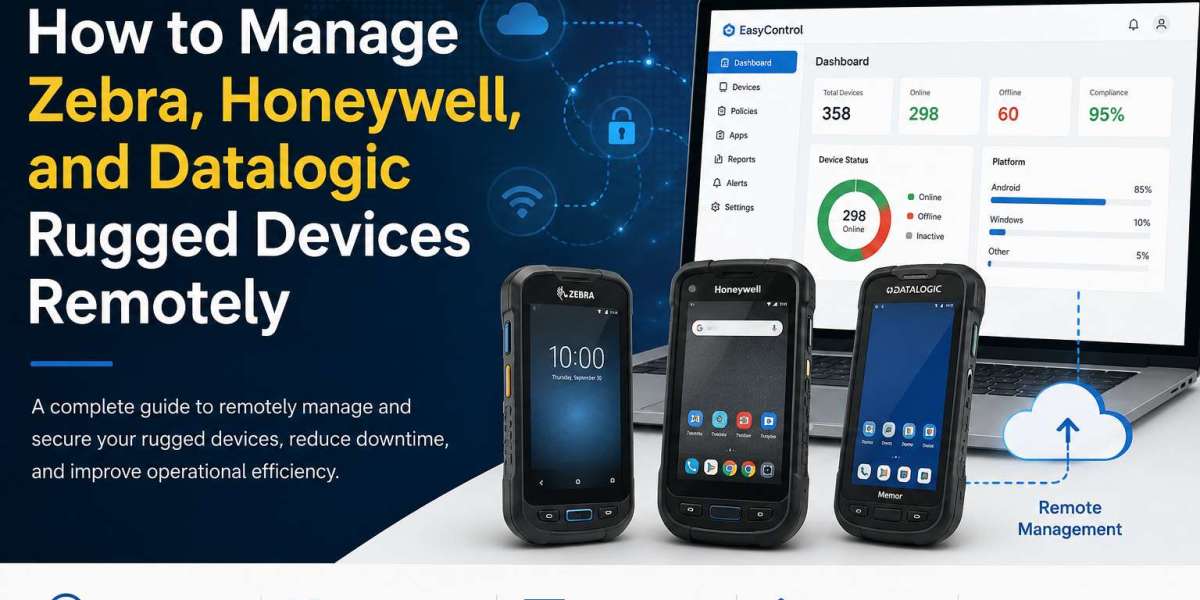
Rugged devices have become the backbone of industries where reliability matters more than anything else. From warehouse barcode scanners and handheld computers to field service terminals and retail inventory devices, brands like Zebra, Honeywell, and Datalogic power mission-critical operations every day.
But deploying hundreds—or even thousands—of these devices across multiple locations introduces a new challenge: How do you manage them efficiently without sending IT staff to every site?
The answer is remote rugged device management.
With a modern Mobile Device Management (MDM) solution, IT teams can monitor, configure, secure, and troubleshoot rugged devices from anywhere. This reduces downtime, improves productivity, and ensures every device stays compliant with company policies.
In this guide, you'll learn how to remotely manage Zebra, Honeywell, and Datalogic rugged devices, the key features to look for, and best practices for enterprise deployments.
Why Remote Management Matters for Rugged Devices
Unlike standard smartphones, rugged devices often operate in demanding environments such as:
- Warehouses
- Manufacturing plants
- Logistics centers
- Retail stores
- Healthcare facilities
- Transportation fleets
- Field service operations
These devices are usually spread across multiple locations and used by frontline workers who rely on them throughout the day.
If a device stops working, loses critical apps, or experiences configuration issues, business operations can slow down immediately.
Remote management allows IT administrators to solve these problems without requiring physical access to the device.
Challenges of Managing Rugged Devices Manually
Organizations managing large fleets often encounter several challenges:
- Devices distributed across cities or countries
- Time-consuming manual software updates
- Inconsistent device settings
- Security risks caused by outdated software
- Lost or stolen devices
- Application installation issues
- Limited visibility into device health
- High IT support costs
Without centralized management, maintaining hundreds of rugged devices becomes increasingly difficult.
What Is Remote Rugged Device Management?
Remote rugged device management software refers to the ability to control, monitor, and maintain enterprise-grade devices through a centralized cloud-based platform.
Instead of configuring each device individually, administrators can manage entire fleets from a single dashboard.
This approach simplifies deployment while improving operational efficiency and security.
Devices That Can Be Managed Remotely
A modern rugged device management solution typically supports:
- Zebra handheld computers
- Zebra barcode scanners
- Zebra mobile terminals
- Honeywell rugged handhelds
- Honeywell warehouse devices
- Datalogic mobile computers
- Android-based rugged tablets
- Industrial handheld devices
- Enterprise barcode scanning devices
Many organizations manage hundreds or even thousands of these devices simultaneously.
Explore: What Is Android Fastboot Mode
Key Features Required for Remote Rugged Device Management
1. Zero-Touch Device Enrollment
Large-scale deployments become much easier when devices automatically enroll into the management platform during first boot.
IT teams don't need to configure every device manually.
Benefits include:
- Faster deployment
- Consistent configurations
- Reduced setup time
- Lower operational costs
2. Remote Configuration
Administrators should be able to remotely configure:
- Wi-Fi settings
- VPN profiles
- Certificates
- Device restrictions
- Password policies
- Display settings
- Time zone
- Network preferences
Every device receives identical settings automatically.
3. Application Deployment
Warehouse and field workers depend on specialized applications.
Remote management allows administrators to:
- Install apps
- Update apps
- Remove unused applications
- Push internal enterprise apps
- Schedule app deployments
This ensures employees always have the latest software.
4. Kiosk Mode
Many rugged devices are designed for a single workflow.
Kiosk Mode restricts users to approved applications while preventing access to device settings or personal apps.
This helps:
- Reduce misuse
- Improve security
- Increase employee productivity
- Minimize accidental configuration changes
5. Remote Troubleshooting
When a device encounters issues, IT teams can troubleshoot remotely without shipping the device back.
Common capabilities include:
- Remote screen viewing
- Remote control
- File transfer
- Device diagnostics
- Log collection
- Command execution
Problems can often be resolved within minutes.
6. Device Monitoring
Continuous monitoring provides visibility into:
- Battery health
- Storage usage
- Network status
- Device location
- Connectivity
- Device uptime
- Application status
Administrators can identify issues before they impact operations.
7. Security Policy Enforcement
Rugged devices often access sensitive enterprise systems.
An MDM solution helps enforce:
- Password requirements
- Encryption policies
- Device restrictions
- Compliance rules
- Security updates
Non-compliant devices can be flagged immediately.
8. Remote Lock and Wipe
Lost or stolen devices create serious security risks.
Administrators should be able to:
- Lock devices remotely
- Reset passwords
- Erase company data
- Perform factory reset
- Disable unauthorized access
These features help protect business information.
Best Practices for Managing Zebra, Honeywell, and Datalogic Devices
Standardize Device Configurations
Using a common configuration across all devices reduces troubleshooting complexity and improves consistency.
Automate Software Updates
Regular updates improve performance and close security vulnerabilities.
Scheduling updates outside business hours minimizes disruption.
Restrict Unnecessary Applications
Workers should only access apps required for their specific job roles.
Limiting app availability reduces distractions and enhances security.
Monitor Device Health Regularly
Track battery performance, storage usage, and connectivity to identify devices needing maintenance before failures occur.
Enable Remote Support
Providing remote assistance reduces downtime and eliminates unnecessary travel for IT technicians.
Organize Devices into Groups
Grouping devices by:
- Department
- Location
- Warehouse
- Region
- Business unit
allows administrators to apply policies more efficiently.
Industries That Benefit Most
Remote rugged device management is valuable across many sectors.
Warehousing
- Inventory tracking
- Barcode scanning
- Order fulfillment
- Asset management
Logistics
- Fleet operations
- Delivery tracking
- Route management
- Shipment verification
Retail
- Price verification
- Stock management
- Point-of-sale operations
Manufacturing
- Production monitoring
- Asset inspections
- Equipment maintenance
Healthcare
- Patient identification
- Medication tracking
- Clinical workflows
Field Services
- Work order management
- Equipment inspections
- Remote reporting
Choosing the Right Rugged Device Management Solution
When evaluating a platform, look for features such as:
- Android Enterprise support
- Zero-touch enrollment
- Kiosk Mode
- Remote control
- App management
- Policy enforcement
- Compliance monitoring
- Real-time device monitoring
- OTA update management
- Cloud-based administration
- Role-based access control
- Scalability for large deployments
A solution that combines these capabilities can significantly reduce administrative effort while improving device security and operational efficiency.
How EasyControl Simplifies Rugged Device Management
Managing Zebra, Honeywell, and Datalogic devices becomes much easier with a unified device management platform like EasyControl.
EasyControl enables IT teams to remotely enroll, configure, monitor, secure, and troubleshoot rugged Android devices from a centralized dashboard. Features such as remote app deployment, Kiosk Mode, policy enforcement, device monitoring, and remote support help organizations maintain consistent device performance across warehouses, retail stores, logistics fleets, and field operations.
By reducing manual intervention and providing real-time visibility into device health, EasyControl helps businesses minimize downtime, strengthen security, and scale rugged device deployments with confidence.
Conclusion
As organizations continue expanding their frontline operations, manually managing rugged devices is no longer practical. Whether you're deploying Zebra, Honeywell, or Datalogic devices, remote management is essential for maintaining security, reducing downtime, and ensuring consistent performance across every location.
By adopting a modern MDM solution, IT teams can automate deployments, enforce security policies, provide remote support, and monitor device health—all from a single console. This not only improves operational efficiency but also allows employees to stay focused on their work instead of dealing with device issues.
For enterprises managing large fleets of rugged Android devices, investing in a centralized platform like EasyControl can simplify day-to-day management while supporting long-term growth, security, and business continuity.