
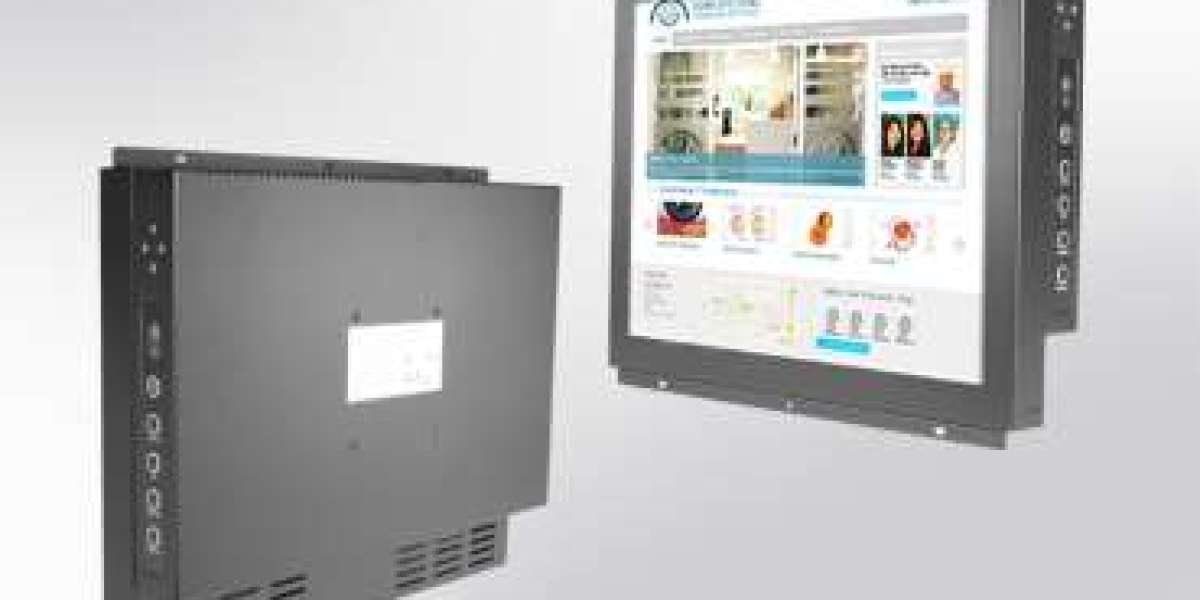
Selecting the right 10.1 inch industrial monitor is a critical decision for OEMs and system integrators. Unlike consumer displays, industrial monitors must operate reliably in harsh environments, integrate seamlessly with control systems, and support long product lifecycles. When buying a 10.1 inch industrial monitor online, understanding how to compare specifications, build quality, and long-term value is essential to avoid costly redesigns or downtime.
This guide outlines key decision factors and comparison criteria to help industrial buyers make an informed purchase.
Why Choose a 10.1 Inch Industrial Monitor?
The 10.1 inch form factor is widely used in HMI panels, control cabinets, industrial PCs, kiosks, and automation systems. It offers an optimal balance between screen clarity and compact installation, making it ideal for space-constrained environments without compromising visibility.
For OEMs, this size supports standardized panel cutouts and simplifies enclosure design. For integrators, it enables flexible deployment across multiple projects using a consistent display platform.
Key Decision Factors When Buying Online
- Industrial-Grade Construction vs Commercial Displays
One of the most important distinctions is the mechanical and electrical design.
Compare:
- Rugged metal chassis vs plastic housing
- Shock and vibration resistance
- EMI/EMC compliance for industrial environments
A true industrial monitor is engineered for continuous operation and long service life, whereas commercial displays are not designed for factory floors or control rooms.
- Mounting Options and Integration Flexibility
OEMs and integrators should verify compatibility with their enclosure and system layout.
Common mounting options include:
- Chassis mount
- Panel mount
- VESA mount
When comparing products online, check mechanical drawings and cutout dimensions to avoid costly mechanical rework.
- Display Performance Comparison
Not all 10.1 inch displays deliver the same visual performance.
Compare these display parameters:
- Resolution (e.g., 1280×800 or higher)
- Brightness (cd/m²) for indoor or semi-outdoor use
- Contrast ratio for readability
- Viewing angles for multi-operator environments
Industrial applications often require stable image quality over long operating hours.
- Touch Technology Options
Depending on the application, touch performance may be critical.
Typical options include:
- Projected capacitive (PCAP) for multi-touch and glove support
- Resistive touch for legacy systems or glove-heavy environments
- Non-touch displays for monitoring-only applications
OEMs should confirm driver support, OS compatibility, and firmware stability before purchasing.
- Input Interfaces and System Compatibility
Integration failures often occur due to interface mismatches.
Compare available inputs such as:
- HDMI
- DisplayPort
- VGA
- USB for touch functionality
A monitor with multiple input options allows reuse across different controller platforms and reduces inventory complexity.
- Wide Temperature and Environmental Ratings
Industrial monitors frequently operate in non-climate-controlled environments.
Check for:
- Wide operating temperature range
- Resistance to dust and humidity
- Long MTBF ratings
These factors directly impact system uptime and maintenance costs.
Online Comparison Checklist for OEMs and Integrators
When evaluating suppliers online, use this checklist:
Criteria | Why It Matters |
Industrial-grade components | Ensures long-term reliability |
Mechanical drawings available | Prevents integration errors |
Wide temperature support | Suitable for harsh environments |
Multiple interface options | Flexible system compatibility |
Long-term availability | Avoids redesign during product lifecycle |
European supplier support | Faster logistics and compliance |
Price vs Value: Making the Right Choice
While price is an important factor, OEMs and integrators should prioritize total cost of ownership (TCO). A lower-priced display may result in higher costs due to early failure, replacement, or system redesign.
Investing in a reliable industrial monitor reduces downtime, simplifies certification, and ensures long-term product stability.
Final Thoughts
Buying a 10.1 inch industrial monitor online requires more than checking screen size and price. OEMs and system integrators must evaluate build quality, integration compatibility, environmental performance, and supplier reliability.
By comparing technical specifications and focusing on industrial-grade requirements, buyers can select a monitor that delivers consistent performance throughout the lifecycle of their automation or control system.
Read More: https://tecsysproductguides.blogspot.com/2026/01/101-inch-industrial-monitor-online.html