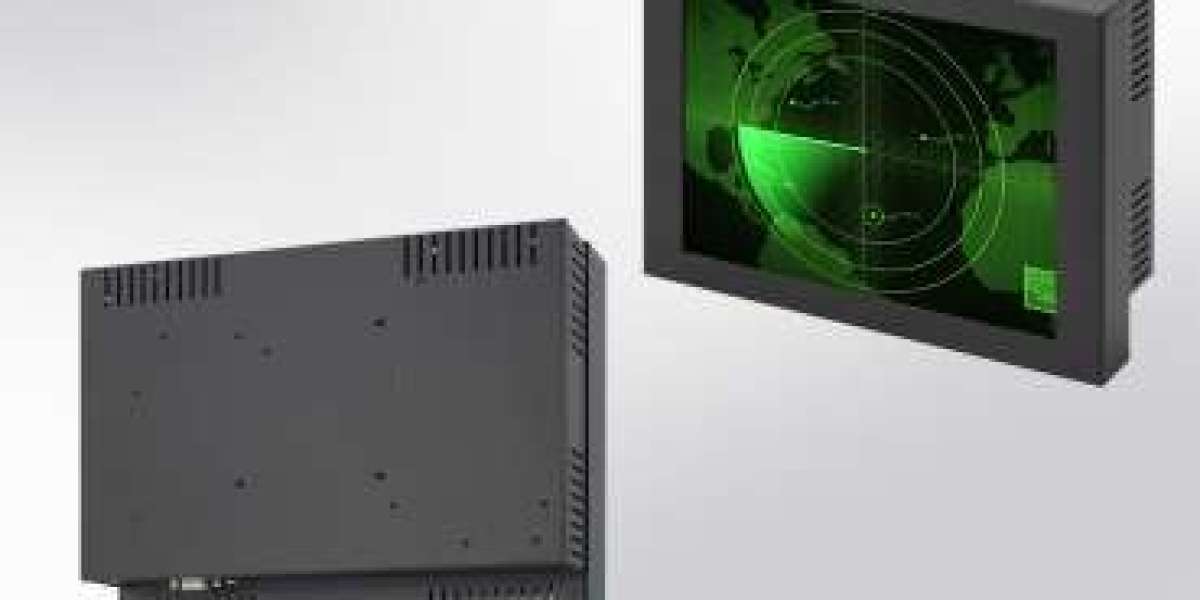
Industrial environments are rarely gentle on equipment. Extreme temperatures, dust, moisture, vibration, and continuous operation can quickly damage standard commercial displays. When selecting an industrial LCD display for harsh environments, buyers must look beyond screen size and price. The right decision ensures long-term reliability, reduced downtime, and a strong return on investment.
This buyer-focused guide highlights the most important factors to consider before purchasing an industrial LCD display designed for demanding conditions.
- Environmental Conditions and Operating Range
The first step in choosing an industrial LCD display is understanding where and how it will be used. Harsh environments may include factories, outdoor installations, transportation systems, oil and gas facilities, or logistics hubs.
Key aspects to evaluate:
- Operating temperature range (e.g., -20°C to +70°C)
- Humidity resistance
- Exposure to dust, water, chemicals, or oil
Displays designed for harsh environments typically feature sealed enclosures and industrial-grade components to withstand these conditions.
- IP Rating and Enclosure Protection
Ingress Protection (IP) ratings define how well a display is protected against solids and liquids. For harsh environments, this is a critical buying factor.
Common industrial IP ratings:
- IP65 – Dust-tight and protected against water jets
- IP66/IP67 – Suitable for outdoor or wash-down environments
Choosing the correct IP rating helps prevent internal damage and extends the display’s lifespan.
- Display Brightness and Readability
Visibility is crucial in industrial settings where lighting conditions vary dramatically.
Consider:
- High brightness (1000 nits or more) for outdoor or high-glare areas
- Anti-glare or anti-reflective coatings
- Wide viewing angles for control rooms and shared workstations
A display that remains readable under direct sunlight or bright factory lighting improves productivity and reduces operator fatigue.
- Durability and Mechanical Resistance
Industrial LCD displays must withstand constant vibration, shocks, and mechanical stress, especially in manufacturing, transportation, and heavy machinery applications.
Look for:
- Metal chassis or rugged enclosures
- Compliance with vibration and shock standards
- Long-life components rated for 24/7 operation
Durability directly impacts maintenance costs and system uptime.
- Touchscreen Technology (If Required)
If the application requires user interaction, selecting the right touchscreen technology is essential.
Common options include:
- Resistive touch – Works with gloves and in wet conditions
- Projected capacitive (PCAP) touch – Supports multi-touch and modern interfaces
Buyers should match touch technology to the working environment rather than selecting based on appearance alone.
- Connectivity and Interface Compatibility
Before purchasing, ensure the display integrates seamlessly with existing systems.
Key interfaces to check:
- VGA, HDMI, DisplayPort, or DVI
- USB or RS232 for touch functionality
- Compatibility with industrial PCs or control systems
Future-proofing connectivity can save costs during system upgrades.
- Power Requirements and Energy Efficiency
Industrial displays often operate continuously, making power consumption an important consideration.
Evaluate:
- Input voltage range (e.g., 12–24V DC)
- Power efficiency and thermal management
- Support for low-power or energy-efficient operation
Energy-efficient displays reduce operating costs and heat buildup.
- Compliance, Certifications, and Quality Standards
Reliable industrial LCD displays meet recognized standards that validate safety and performance.
Important certifications include:
- CE, FCC, or RoHS
- Industry-specific standards for industrial or transportation use
Certifications provide confidence in long-term reliability and regulatory compliance.
- Product Lifecycle and Long-Term Availability
Unlike consumer displays, industrial systems require long-term product availability.
Buyers should confirm:
- Long lifecycle support (5–10 years)
- Availability of spare parts
- Firmware and driver continuity
This ensures consistency in large-scale deployments and reduces redesign costs.
- Supplier Reliability and Technical Support
Choosing the right supplier is just as important as choosing the right display.
A reliable supplier offers:
- Technical consultation and product customization
- Strong after-sales support
- Clear warranty and service policies
Working with an experienced industrial display supplier minimizes risks throughout the product lifecycle.
Final Thoughts
Buying an industrial LCD display for harsh environments is a strategic investment, not a simple hardware purchase. By carefully evaluating environmental conditions, durability, display performance, connectivity, and supplier reliability, buyers can make informed decisions that ensure long-term operational success.
The right industrial LCD display delivers consistent performance, reduced downtime, and dependable operation, even in the most demanding environments.
Read More: https://tecsysproductguides.blogspot.com/2026/01/things-to-consider-before-buying.html