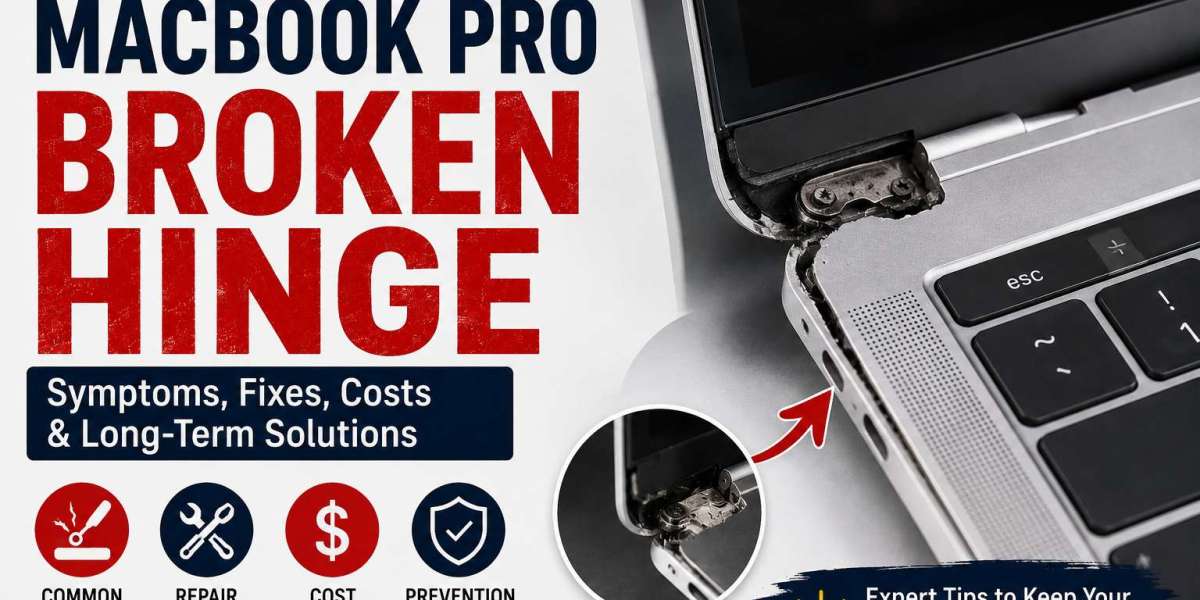
A macbook pro broken hinge might seem like a minor inconvenience at first, but it can quickly become one of the most expensive hardware issues if handled incorrectly. Many MacBook owners continue using their devices without realizing that a damaged hinge places constant stress on the display, internal cables, and aluminum frame.
The good news is that most secondary damage is preventable. By avoiding common mistakes and addressing the issue early, you can significantly reduce repair costs and extend the life of your MacBook Pro.
Why the Hinge Is More Important Than You Think
The hinge does much more than allow your MacBook to open and close. It also supports the display assembly while protecting delicate internal components that pass through the hinge area.
These include:
Display flex cables
Wi-Fi antenna cables
Camera connections
Display brackets
Aluminum chassis
Once the hinge becomes damaged, every opening and closing motion increases the strain on these components.
Mistake #1: Continuing to Force the Screen Open
One of the biggest mistakes is forcing the display open when the hinge becomes stiff.
Many users believe the hinge simply needs "loosening up." Instead, forcing it can crack the aluminum housing or snap the display brackets.
If your macbook pro broken hinge suddenly feels tight, stop using excessive force immediately.
Mistake #2: Ignoring Small Cracks
Tiny cracks near the hinge are often the first visible warning sign.
These cracks usually spread over time because every screen movement places pressure on the damaged area.
Repairing a small crack early is almost always cheaper than replacing an entire display assembly.
Mistake #3: Opening the Lid From One Corner
Apple recommends opening the display from the center.
Pulling from the left or right corner twists the hinge unevenly and accelerates wear.
This habit may not cause immediate damage, but over months or years, it increases the chances of developing a macbook pro broken hinge.
Mistake #4: Using the Laptop After a Drop
Even if your MacBook appears to work normally after falling, internal hinge damage may already exist.
Signs often appear days or weeks later, including:
Clicking sounds
Uneven screen movement
Loose display
Small frame separation
Always inspect the hinge carefully after any impact.
Mistake #5: Waiting Until the Screen Stops Working
Many users postpone repairs because the laptop still functions.
Unfortunately, hinge damage often affects display cables over time.
Eventually, you may notice:
Black screen
Flickering display
Horizontal lines
Random display shutdowns
Repair costs rise significantly once the screen becomes damaged.
Mistake #6: Attempting Repairs Without Experience
Online repair videos make hinge replacement appear simple.
In reality, modern MacBook Pro models contain extremely delicate components that require specialized tools.
DIY mistakes frequently result in:
Torn display cables
Broken connectors
Damaged FaceTime camera
Cracked Retina display
Professional repair is usually the safer investment.
Mistake #7: Choosing the Cheapest Repair Shop
Price should never be the only factor.
Low-cost repair providers may use poor-quality replacement parts or skip important structural repairs.
Before choosing a repair center, ask about:
Technician experience
Warranty coverage
Replacement part quality
Estimated turnaround time
Quality repairs often save money in the long run.
Mistake #8: Closing the Lid Too Hard
Repeatedly slamming the MacBook shut increases stress on the hinge mechanism.
Although Apple's hinges are built for durability, sudden impacts reduce their lifespan.
Closing the display gently helps prevent unnecessary wear.
Mistake #9: Carrying the Laptop Incorrectly
Holding the MacBook by the display instead of the base places excessive pressure on the hinge.
This becomes especially risky if a macbook pro broken hinge already exists.
Always lift the laptop from the bottom using both hands.
Mistake #10: Skipping Preventive Maintenance
Simple maintenance goes a long way.
Keeping dust away from the hinge area reduces friction and allows smoother movement.
Regular visual inspections also help identify early warning signs before major repairs become necessary.
What Should You Do If You Have a MacBook Pro Broken Hinge?
If you notice hinge damage, follow these steps:
Stop Forcing the Display
Open and close the lid only when necessary until it has been inspected.
Back Up Your Data
Although hinge problems rarely affect storage directly, secondary hardware damage is always possible.
Schedule an Inspection
A professional diagnosis helps determine whether only the hinge requires repair or if additional components have been affected.
Avoid DIY Adhesives
Glue or temporary fixes usually make professional repairs more difficult and rarely solve the underlying problem.
How Professionals Repair a MacBook Pro Broken Hinge
Experienced repair technicians first inspect the complete display assembly before recommending a solution.
Depending on the damage, repairs may include:
Hinge replacement
Mounting bracket repair
Top case repair
Display assembly replacement
Internal cable inspection
This approach ensures all damaged components are identified before reassembly.
How to Prevent Future Hinge Damage
Protecting your MacBook is easier than repairing it.
Follow these best practices:
Open the display from the center.
Close the lid gently.
Keep the hinge area clean.
Use a padded laptop sleeve during travel.
Avoid placing heavy objects on the closed laptop.
Never force a stiff hinge.
Have unusual noises inspected early.
These habits can significantly extend the lifespan of your MacBook Pro.
Final Thoughts
A macbook pro broken hinge is a problem that should never be ignored. While the laptop may continue working for some time, every use can increase the damage and lead to much more expensive repairs. Simple mistakes such as forcing the screen open, delaying repairs, or attempting DIY fixes often turn a manageable issue into a complete display replacement.
The best approach is to act as soon as you notice unusual hinge movement, clicking sounds, or visible cracks. Early professional repair, combined with careful daily handling, can keep your MacBook Pro functioning reliably for years and help you avoid unnecessary repair costs.