Introduction
In today’s content-driven world, video has become one of the most powerful ways to communicate, entertain, educate, and market ideas. Whether you want to become a content creator, social media manager, filmmaker, freelancer, or digital marketer, learning video editing can open many career and creative opportunities. Video editing is not only about cutting clips and adding music. It is the process of shaping raw footage into a meaningful, engaging, and visually appealing story.
For beginners, video editing often feels overwhelming because there are so many tools, terms, and techniques to learn. Concepts like trimming, timeline editing, transitions, color correction, frame rates, and sound syncing may sound technical in the beginning. Many people start learning video editing but stop early because they think they need expensive software or advanced skills to create professional-looking content. The truth is, every skilled video editor once started as a beginner.
The best way to learn video editing is not by trying to master everything at once, but by following a step-by-step approach. When you start with the fundamentals and practice regularly, the process becomes much easier to understand. Over time, you develop both technical ability and creative confidence.
This blog is a complete beginner-friendly guide to video editing. It will explain what video editing is, why it matters, what tools you need, and how to learn it step by step. If you are just starting out and want to build a strong foundation, this guide will help you move in the right direction.
What Is Video Editing?
Video editing is the process of arranging, cutting, improving, and combining video clips, audio, text, and visual elements to create a final polished video. Raw footage is often unorganized and incomplete. Editing turns that raw material into a story or message that viewers can understand and enjoy.
A video editor works on many parts of the content, such as removing unwanted footage, selecting the best shots, adding transitions, improving colors, syncing audio, adding background music, inserting subtitles, and exporting the final video in the right format. In short, video editing gives shape and emotion to a video.
Whether it is a short social media reel, a YouTube vlog, a wedding video, a corporate ad, or a documentary, editing plays a major role in how the audience experiences the content.
Why Beginners Should Learn Video Editing
Video editing is a highly useful skill because video content is growing rapidly across almost every industry. Businesses need promotional videos, influencers need social media content, educational platforms need tutorials, and brands need engaging visual campaigns. This means there is strong demand for people who know how to edit videos effectively.
For beginners, learning video editing can be beneficial for many reasons. It can help you start a freelance career, improve your content creation, support your digital marketing work, or even lead to opportunities in media, film, and advertising. Even if you are not planning to become a full-time editor, basic video editing can still be a valuable skill for personal branding and communication.
Most importantly, video editing allows you to express ideas creatively. It gives you the power to turn simple footage into content that can inspire, entertain, or inform others.
Step 1: Understand the Basics of Video Editing
The first step in learning video editing is to understand the basic concepts. Before using advanced effects or cinematic transitions, you need to know how editing works at a foundational level.
The most important beginner concepts include:
- Cutting and trimming clips
- Arranging footage on a timeline
- Adding transitions between clips
- Using background music and sound effects
- Adding text, titles, and subtitles
- Adjusting brightness, contrast, and colors
- Exporting the final video in the correct format
These basics form the core of almost every editing project. Once you are comfortable with them, you can slowly move toward more advanced techniques.
At this stage, the goal is not perfection. The goal is to understand how clips move, how scenes connect, and how editing affects the flow of a video.
Want to master video editing? Choose TGC India for the best video editing training in Delhi.
Step 2: Choose the Right Video Editing Software
One of the biggest beginner mistakes is spending too much time worrying about which software is “best.” In reality, many editing tools can help you learn effectively. What matters most is choosing software that feels manageable for your current skill level.
There are beginner-friendly options as well as professional tools. Some popular choices include:
- Adobe Premiere Pro
- DaVinci Resolve
- Final Cut Pro
- Filmora
- CapCut
- VN Editor
- iMovie
For absolute beginners, simple editors like CapCut, VN, or Filmora can make the learning process easier. If you want to build a long-term career in video editing, learning tools like Adobe Premiere Pro or DaVinci Resolve can be a strong investment.
The best approach is to pick one software and stay consistent with it for some time. Jumping between different tools too often can slow down your learning.
Step 3: Learn the Editing Workspace
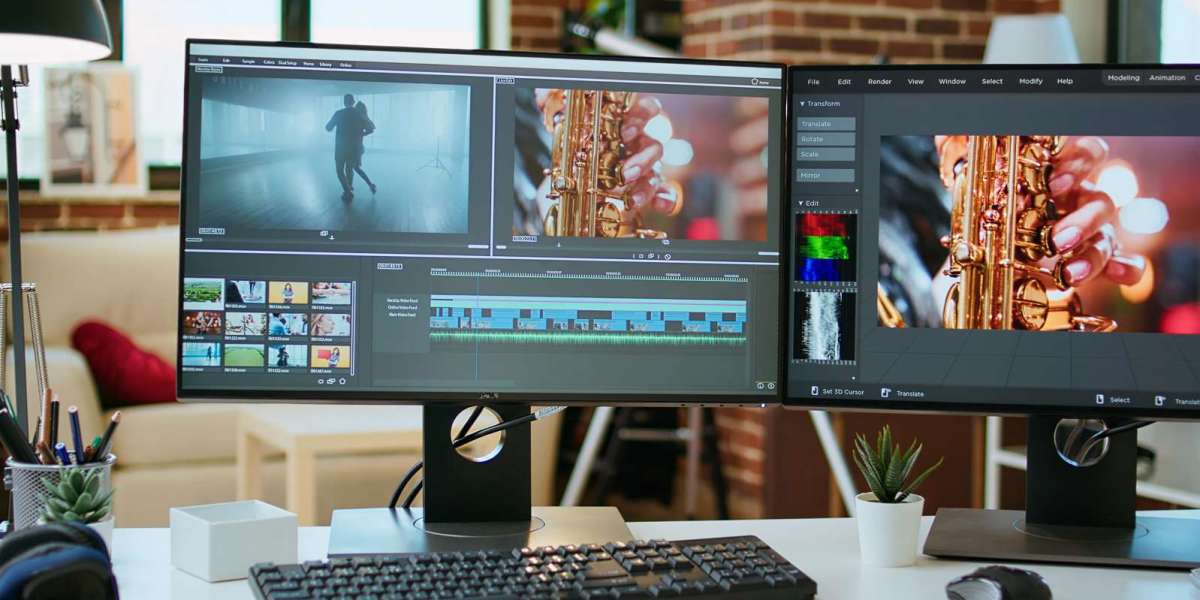
Once you choose your editing software, the next step is understanding the workspace. Most editing tools have a similar structure, even if the interface looks slightly different.
The main areas usually include:
- Media library, where your video clips, audio, and images are stored
- Preview window, where you watch your edits
- Timeline, where you arrange and edit your clips
- Effects or transitions panel, where you add creative elements
- Export settings, where you finalize your video
As a beginner, spend time exploring these sections and understanding what each one does. You do not need to know every feature immediately. Focus first on importing clips, placing them on the timeline, cutting them, and previewing your work.
This step is important because confidence with the editing workspace makes the learning process much smoother.
Looking for the best video editing course in Jaipur? Choose TGC Jaipur for professional training.
Step 4: Start Practicing with Simple Projects
The fastest way to learn video editing is through practice. Watching tutorials helps, but real improvement comes when you edit actual footage yourself. Beginners should start with simple projects rather than trying to create highly cinematic videos immediately.
Good beginner practice projects include:
- A short travel video
- A birthday or event montage
- A simple YouTube intro
- A motivational reel
- A basic product showcase
- A daily vlog
When you work on small projects, you learn how to organize clips, create flow, and build storytelling instincts. Practice also helps you understand timing, pacing, and how to keep viewers engaged.
The more you edit, the more natural the process becomes.
Step 5: Focus on Storytelling, Not Just Effects
Many beginners believe good editing means adding lots of transitions, flashy text, or dramatic effects. But strong video editing is actually more about storytelling than visual tricks.
A well-edited video should have a clear purpose and a natural flow. It should guide the viewer smoothly from one moment to the next. Even a simple video can feel powerful if it is edited with good timing and emotional structure.
Ask yourself these questions while editing:
- What is the main message of this video?
- Which clips are most important?
- Does the sequence feel smooth?
- Is the pace too slow or too fast?
- Will the viewer stay interested?
Learning to think like a storyteller will make your edits much stronger, even if you are still a beginner.
Step 6: Understand Audio and Music Editing
Audio is one of the most overlooked parts of video editing, but it has a huge impact on quality. A video with great visuals but poor sound often feels unprofessional. Beginners should learn basic audio editing early in their journey.
This includes:
- Adjusting volume levels
- Removing unwanted noise
- Syncing voice and visuals
- Adding background music carefully
- Using sound effects where needed
Music can add emotion and energy, but it should never overpower the main voice or message. Similarly, sound effects should support the content, not distract from it.
Good audio editing can instantly make a beginner video feel more polished and professional.
Looking for a professional video editing course in Dehradun? TGC Dehradun is the perfect place to start.
Step 7: Learn Basic Color Correction and Text Usage
Color correction helps make your video look cleaner and more visually consistent. You do not need advanced cinematic grading as a beginner, but basic adjustments can improve quality a lot.
Simple corrections include:
- Improving brightness
- Fixing contrast
- Balancing shadows and highlights
- Making colors look natural
Text is also an important part of editing, especially for social media and educational content. Titles, subtitles, and captions can improve viewer engagement and make videos easier to understand.
Use text in a clean and readable way. Avoid too many fonts or excessive animations. Good editing is often simple and clear rather than overloaded.
Step 8: Export Videos in the Right Format
After editing, the final step is exporting your video properly. Exporting means converting your project into a shareable video file. Many beginners ignore this step, but it is important because wrong settings can reduce quality or create compatibility issues.
The right export settings usually depend on where the video will be posted:
- YouTube videos often need high-resolution landscape format
- Instagram reels and TikTok require vertical format
- Corporate or presentation videos may need different file sizes or resolutions
Learning basic export settings helps ensure your final video looks good on every platform.
Common Mistakes Beginners Should Avoid
Beginners often make mistakes that are completely normal during the learning process. One common mistake is using too many effects and transitions, which can make a video feel messy. Another is ignoring audio quality, which can weaken even visually good content.
Some beginners also make the mistake of editing without a clear plan. This often leads to random cuts and weak storytelling. Others compare their first edits to professional creators and feel discouraged too early.
The most important thing to remember is that video editing improves with time. Every project teaches something new. Progress matters more than perfection.
How to Improve Faster as a Beginner
If you want to grow your editing skills quickly, the best method is consistent practice and observation. Edit regularly, even if it is just short videos. Watch well-edited content and notice how scenes are cut, how music is used, and how pacing works.
You can also improve faster by:
- Recreating simple edits from creators you admire
- Practicing keyboard shortcuts
- Joining online editing communities
- Building a small portfolio of your work
- Asking for feedback on your videos
The more you stay active with editing, the faster your confidence and skill level will improve.
Searching for expert-led training with TGC India
Conclusion
Video editing may seem challenging at first, but it becomes much easier when you learn it step by step. From understanding the basics and choosing the right software to practicing storytelling, audio, and visual flow, every small skill contributes to becoming a better editor.
For beginners, the key is not to rush into advanced techniques too quickly. Start simple, practice regularly, and focus on building a strong foundation. With time, patience, and creativity, video editing can become not only a useful skill but also a rewarding career path.
In today’s digital world, video content is more important than ever, and learning video editing can give you a strong creative and professional advantage. If you are just starting out, this is the perfect time to begin your journey and turn your ideas into engaging visual stories.
https://zerfoon.net/read-blog/31958
https://tgcindia012.federatedjournals.com/freelance-graphic-design-tips-for-success-and-growth/
https://tgcindia0012.xzblogs.com/80906353/the-importance-of-color-grading-in-video-editing
https://cityofarticle.in.net/article/uiux-design-for-e-commerce-websites