Introduction
In today’s digital age, having a professional website is crucial for small businesses and freelancers who want to stand out and reach a larger audience. However, many new businesses face challenges when it comes to building an online presence. This is where free Framer templates come in, offering an easy, cost-effective solution for launching websites that are responsive, SEO-optimized, and fully customizable.
Framer has emerged as one of the leading no-code website builders, allowing individuals and businesses to create stunning websites without needing to write a single line of code. The availability of free templates makes this platform even more accessible, enabling users to start building their websites immediately, regardless of their technical skill level.
What Are Free Framer Templates?
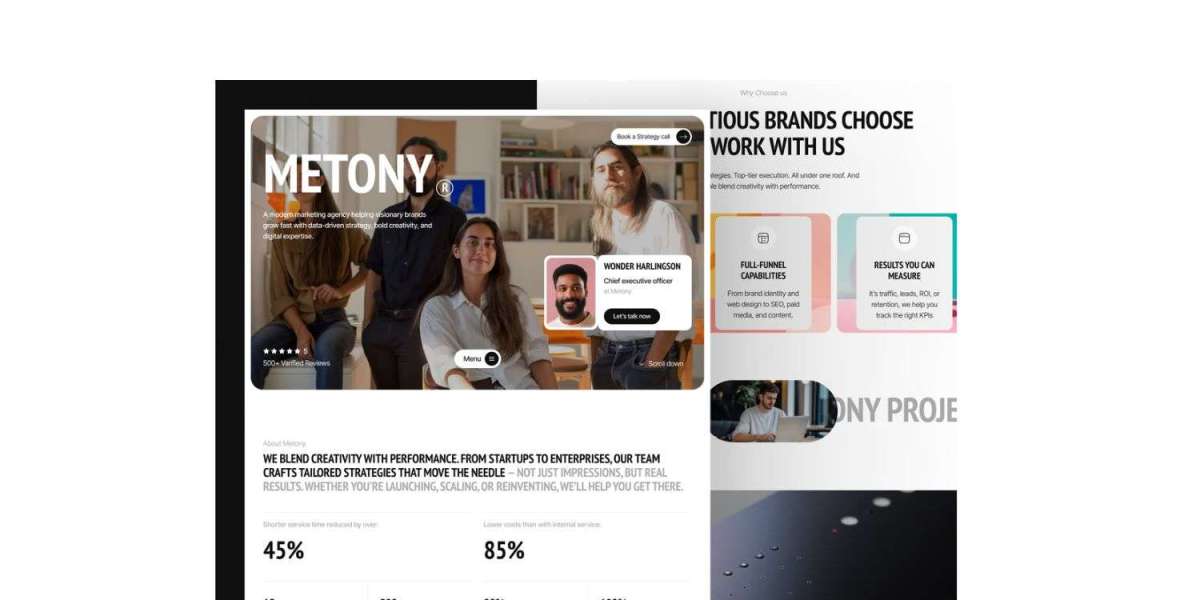
Free Framer templates are pre-built website designs that offer fully customizable layouts, SEO optimization, and responsive features. These templates are designed to be used by anyone looking to create a professional website quickly, from freelancers to startups and small businesses. With Framer's drag-and-drop interface, users can personalize every aspect of the template, ensuring the final product aligns with their unique brand and goals.
These templates provide a fast, cost-effective alternative to custom web development, giving businesses and individuals the tools to establish their online presence without the need for technical expertise or a large budget.
Key Features and Benefits of Free Framer Templates
- Cost-Effective Solution for Startups and Freelancers
Free Framer templates allow small businesses and freelancers to create high-quality websites without the financial burden of hiring a developer or designer. This makes it an ideal option for those just starting out, or for businesses working within a tight budget. - SEO-Friendly Templates for Better Rankings
SEO is crucial for visibility in search engine results. Free Framer templates come with built-in SEO features, such as clean HTML code, meta tags, and fast loading speeds, ensuring your site is optimized for search engines. This helps increase organic traffic, driving more potential customers to your website. - Mobile Responsiveness for Enhanced User Experience
In 2026, mobile-first design is a must. Framer’s templates are responsive by default, meaning your website will look great on all devices, from smartphones to tablets and desktops. This feature improves user experience and is also favored by search engines like Google. - Easy Customization for Unique Branding
Framer’s templates allow businesses to customize their websites to reflect their unique brand identity. You can change colors, fonts, and images, and rearrange sections to create a site that stands out from the competition. - No-Code Interface for Effortless Website Creation
One of the biggest advantages of using Framer is its no-code interface, which makes website creation accessible to users without technical expertise. The drag-and-drop functionality allows users to make adjustments and build websites in real-time. - Fast Launch and Scalability
With pre-built templates, businesses can launch their websites in no time. These templates provide the framework for a professional online presence, saving time while ensuring scalability as your business grows.
Best Practices for Using Free Framer Templates
To maximize the benefits of Framer’s free templates, follow these best practices:
- Select the Right Template for Your Industry
Choose a template that aligns with your business needs. Whether you're a freelancer or small business, Framer offers templates that suit various industries, including portfolio websites, e-commerce, and service-based businesses. - Ensure Mobile Responsiveness
While most Framer templates are responsive by default, always check that your site displays correctly on multiple devices. This ensures a positive user experience and enhances your SEO rankings. - Add High-Quality, SEO-Optimized Content
Content plays a key role in SEO success. Ensure that your text is optimized for search engines with relevant keywords, meta descriptions, and alt text for images. High-quality content helps to improve your website's ranking. - Test Your Website Before Launch
Before going live, test your site across different browsers and devices to ensure there are no issues. Check for broken links, loading speed, and overall functionality. - Track Performance and Adjust
Once your site is live, use tools like Google Analytics to monitor traffic, user engagement, and performance. This data will help you make informed decisions to further improve your website.
Conclusion
Free Framer templates offer small businesses, freelancers, and startups a cost-effective and efficient way to create a professional website that performs well in search engines. With features like mobile responsiveness, SEO optimization, and easy customization, these templates provide a solid foundation for businesses looking to establish their online presence. Whether you are building a portfolio, a service website, or an e-commerce store, Framer’s free templates empower you to create a website that meets your needs and helps your business thrive in the digital world.