
What Does a Mobile Repairing Course Teach Beyond Screen Repair?

Explore the Technical Skills Behind Professional Phone Repair
A smartphone with a cracked display is one of the most common devices brought to a repair shop. Replacing the screen may appear simple, but phones can develop many other problems that require different technical skills. A device might stop charging, lose network signals, produce unclear sound, or switch off without warning.
This is why professional mobile repair training involves much more than learning how to replace damaged displays. A mobile repairing course in Rawalpindi can introduce students to the hardware, electrical systems, diagnostic methods, and repair procedures used in everyday workshop environments.
Understanding these areas helps beginners prepare for a wider range of repair jobs.
What Do Students Learn Beyond Screen Replacement?
A complete mobile repair programme introduces students to several smartphone systems and their common faults. It teaches them how components work together and how to identify problems before replacing parts.
The following areas are commonly included in practical mobile repair training.
1. Battery and Power Management
Battery-related complaints include fast draining, sudden shutdowns, slow charging, and devices that refuse to turn on.
Students learn how to inspect battery connectors, identify swollen batteries, check charging behaviour, and understand basic power-related faults.
They also study safe battery removal. Puncturing or bending a lithium-ion battery can cause overheating, fire, or other serious hazards.
2. Charging Port and Charging Circuit Repair
A phone may fail to charge because of a damaged charging connector, dirty port, faulty cable, or internal circuit problem.
Training introduces students to connector inspection, continuity testing, and basic voltage measurements. They learn to distinguish between an external accessory issue and a possible internal fault.
Advanced lessons may include charging-port replacement and soldering practice.
3. Speaker, Microphone, and Audio Problems
Audio faults can make a smartphone difficult to use. Customers may complain about weak call sound, distorted speakers, or microphones that fail during calls.
Students learn to inspect audio components, test connections, clean suitable contact areas, and identify when a component requires replacement.
4. Camera and Sensor Troubleshooting
Smartphones contain front and rear cameras, proximity sensors, light sensors, and other small components.
A repair course may explain how these parts operate and how to check common problems. Students learn that a camera failure can sometimes result from a loose connector rather than a damaged camera module.
5. Water Damage Inspection
Liquid exposure can affect several parts of a smartphone, including connectors, charging circuits, and the motherboard.
Students learn safe inspection methods and the importance of disconnecting power before examining internal components. They should also understand that switching on a wet phone can increase damage.
Which Diagnostic Tools Should Beginners Learn?
Repair technicians need suitable tools to identify faults and complete repairs safely. Learning the correct use of these tools is just as important as knowing their names.
| Tool | Main Purpose | Learning Level |
|---|---|---|
| Digital multimeter | Voltage and continuity testing | Beginner |
| Precision screwdriver set | Opening phone assemblies | Beginner |
| ESD-safe tweezers | Handling small components | Beginner |
| Hot air rework station | Controlled component removal | Advanced |
| Soldering iron | Connector and component soldering | Intermediate |
| DC power supply | Power-related fault investigation | Intermediate |
Students should learn the correct temperature settings, probe placement, and handling methods before using advanced equipment.
For instance, applying excessive heat to a charging connector can damage the circuit board or nearby plastic components.
Does Mobile Repair Training Include Software Troubleshooting?
Yes, many programmes introduce students to common smartphone software problems alongside hardware repair. These may include boot loops, failed updates, storage-related issues, and operating system errors.
Students may learn how to use manufacturer-approved recovery methods and diagnostic procedures. They should also understand the difference between a software problem and a hardware fault.
Important software-related topics include:
-
Basic Android troubleshooting
-
Safe data backup procedures
-
Operating system recovery
-
Update and boot-related problems
-
Understanding firmware compatibility
Technicians must respect customer privacy and obtain permission before performing procedures that may erase data. They should never promise data recovery without first assessing the device.
How Does Practical Training Improve Repair Skills?
Reading about smartphone components provides useful knowledge, but repair work requires hand coordination and careful decision-making. Students need to practise opening devices, identifying connectors, testing components, and putting phones back together correctly.
For example, a student may understand how a charging port works but still struggle to remove one without damaging nearby components. Repeated practice under supervision helps improve accuracy and control.
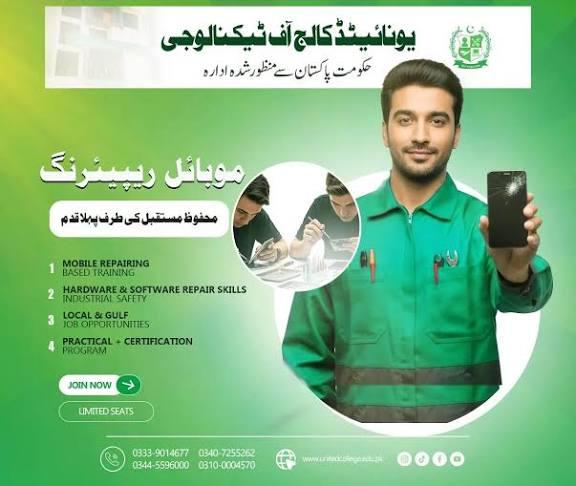
Institutes such as United College of Technology (UCT) in Rawalpindi offer a practical mobile repairing learning environment where students can develop technical skills through structured training.
A useful training routine should include:
-
Inspecting a phone before opening it
-
Recording its existing condition
-
Testing suspected faulty components
-
Performing suitable repair procedures
-
Checking all functions after reassembly
Students should use practice devices before attempting repairs on customer-owned phones.
What Makes a Beginner Ready for Advanced Repairs?
A beginner should understand basic electrical concepts and safe tool handling before moving towards motherboard-level work. Advanced repairs often involve small components, delicate connections, and detailed fault diagnosis.
A student should be comfortable using a multimeter, recognising common connectors, and following an organised troubleshooting process.
Microsoldering, jumper-wire repairs, and complex power IC diagnosis require additional practice. These techniques should not be attempted simply because a tutorial makes them look easy.
Frequently Asked Questions
Does a mobile repairing course teach motherboard repair?
Some programmes introduce motherboard inspection and basic board-level troubleshooting. Advanced microsoldering and IC replacement usually require additional training and practice.
Can students learn software and hardware repair together?
Yes. Many training programmes cover both areas because smartphone problems can have either a hardware or software cause.
Is screen replacement enough to become a professional technician?
Screen replacement is a useful beginner skill, but professional repair work involves charging, battery, audio, software, and diagnostic problems as well.
Do beginners need to learn soldering?
Basic soldering knowledge is useful for progressing towards connector and board-level repairs. Students should first practise on suitable training boards.
Develop Skills Beyond Basic Display Replacement
A skilled mobile technician must understand more than one smartphone component. Learning power systems, charging faults, audio components, software troubleshooting, and diagnostic methods creates a stronger technical foundation.
Start with simple repairs, practise with suitable tools, and gradually move towards complex procedures. A broad understanding of smartphone systems can help learners handle a wider variety of workshop tasks.