Android or Windows? Choosing the Right Operating System for Your Industrial Tablet

You have found the right rugged tablet: the size fits, it is waterproof, the battery lasts a full shift. Then comes the question in the configuration form: Android or Windows? It looks like a small detail, but it decides which software you can run, how long the battery lasts, how the devices are managed and how long they will be supported.
This article compares both platforms for industrial tablets, explains the technical differences behind them and helps you decide which one fits your application.
|
The short answer • Choose Android if your team works with mobile apps: scanning, picking, inventory, mobile forms, field service apps. • Choose Windows if you need existing desktop software, ERP clients, configuration tools or legacy applications. • Check first: which applications must run on the tablet? That answer decides more than any specification. |
The difference starts with the processor
Android and Windows tablets often use different processor architectures:
• Android tablets usually run on ARM processors, for example the Qualcomm QCM6490 with eight cores and up to 2.7 GHz. ARM chips are designed for high efficiency and long battery life.
• Windows tablets for industry usually run on x86 processors, for example the Intel Celeron N5100 (Jasper Lake), a quad-core processor with very low power consumption. x86 runs classic Windows desktop software without changes.
This is why the same tablet housing can behave differently depending on the version: the Android variant often has an advantage in battery life and instant-on, the Windows variant in software compatibility.
Android: strengths and limits
Strengths
• App ecosystem: many logistics, warehouse and field service applications are developed primarily for Android.
• Efficiency: ARM processors and the Android power management deliver long runtimes.
• Instant-on: the tablet is ready immediately, like a smartphone.
• Device management: Android Enterprise and mobile device management (MDM) make it easy to configure and lock down many devices, for example in kiosk mode.
• Scanner integration: barcode scanners are usually integrated directly into the system, so scanned data can go into any app.
Limits
• Classic Windows desktop software does not run.
• Security updates depend on the device manufacturer. Ask how long updates will be provided.
Windows: strengths and limits
Strengths
• Software compatibility: existing Windows applications, ERP clients, terminal emulations and configuration tools run without porting.
• Integration: domain membership, group policies and existing IT management tools can be used.
• Peripherals: drivers for many industrial devices and USB accessories are available for Windows.
• Long-term support: Windows 11 IoT Enterprise LTSC is designed for devices that need a stable system over many years.
Limits
• Usually higher power consumption than ARM-based Android devices.
• Windows desktop applications are often not optimised for touch operation on an 8-inch screen.
Windows 11 Pro or Windows 11 IoT Enterprise LTSC?
If you choose Windows, there is a second decision:
|
Criterion |
Windows 11 Pro |
Windows 11 IoT Enterprise LTSC |
|
Feature updates |
Regular new versions |
No feature updates; stable feature set |
|
Support period |
Shorter cycles per version |
Long-term servicing channel with long support period |
|
Typical use |
Office-like use, frequently changing software |
Dedicated industrial devices with fixed applications |
|
Advantage |
Latest features |
Stability, fewer changes, less revalidation |
For industrial tablets that run one application for years, LTSC is usually the better choice, because it avoids unexpected changes after updates.
Decision guide by application
|
Application |
Recommended |
Why |
|
Warehouse picking and inventory |
Android |
Scanner apps, battery life, MDM |
|
Field service with mobile app |
Android |
Mobile app ecosystem, 4G, GNSS |
|
Access to existing ERP desktop client |
Windows |
Software runs without porting |
|
Machine configuration and service tools |
Windows |
Manufacturer tools are often Windows-only |
|
Kiosk or single-app use |
Android (or Windows IoT) |
Easy lock-down, long stable operation |
Questions to clarify with your IT team
1. Which applications must run, and are they available as Android apps or only for Windows?
2. Is a browser-based solution possible? Then both platforms work.
3. How are devices managed today: MDM, Intune, group policies?
4. How long must the devices be supported, and how are security updates handled?
5. Which peripherals must be connected: printers, scanners, measuring devices?
One tablet, two platforms: the Uniq Tablet 8"
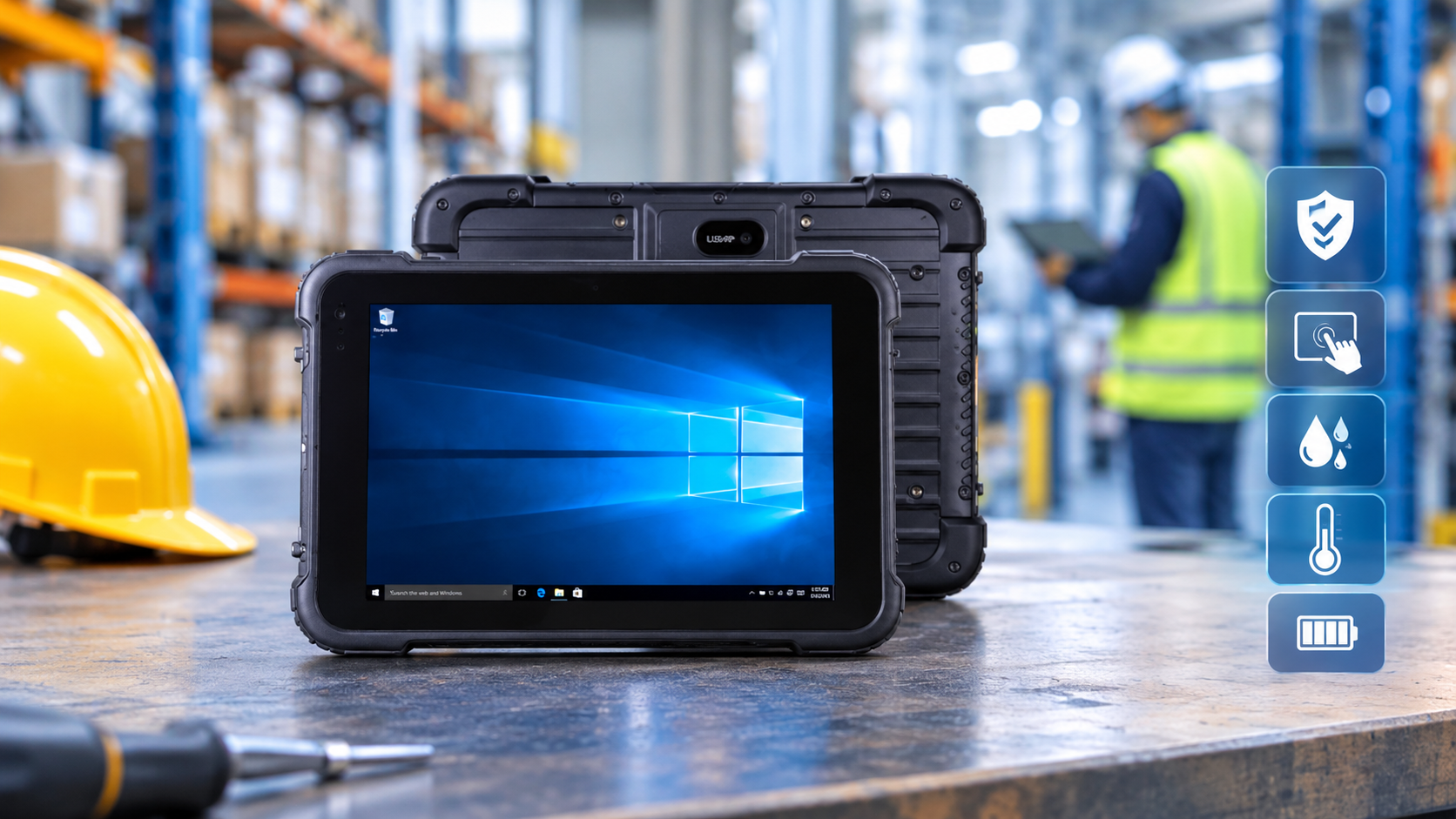
The Uniq Tablet 8" rugged tablet is available with both platforms, in the same rugged housing with IP67, MIL-STD-810G and an operating range from -20 °C to +60 °C:
• Android 14 with Qualcomm QCM6490 octa-core processor
• Windows 11 IoT Enterprise LTSC 2024 or Windows 11 Pro with Intel N5100
• optional NFC and 1D/2D barcode scanner, 4G depending on configuration, integrated GNSS
• 7,800 mAh battery for up to approx. 13 hours, depending on use
This makes it possible to equip different teams with the same hardware and accessories, even if they use different software.
Frequently asked questions
Are Android or Windows tablets better for industry?
Neither is better in general. Android is usually the better choice for mobile apps, scanning and long battery life. Windows is better when existing desktop software must run.
Can Windows software run on an Android tablet?
Not directly. Options are a web-based version of the application, a remote desktop connection to a Windows server or a native Android app. Otherwise, choose the Windows version.
Which version has the longer battery life?
Usually the Android version with an ARM processor. Actual runtime depends on screen brightness, scanning frequency and wireless use.
What is the difference between Windows 11 Pro and Windows 11 IoT Enterprise LTSC?
Windows 11 Pro receives regular feature updates. Windows 11 IoT Enterprise LTSC keeps a stable feature set over a long support period, which makes it suitable for dedicated industrial devices.
How can I manage many industrial tablets centrally?
Android tablets are usually managed with Android Enterprise and an MDM solution. Windows tablets can be managed with Microsoft Intune or existing Windows management tools.
Can I get both versions with the same accessories?
With the Uniq Tablet 8", both versions use the same compact housing. Contact us to clarify the accessories for your configuration.
Read More: https://tecsysproductguides.blogspot.com/2026/11/compact-industrial-tablet-how-to-choose.html